Back to blog home

Best AI Physical Security Platforms for Multi-Site Businesses
by Team Rhombus, on October 30th, 2026
Physical SecurityQuick Summary
- Rhombus best fits businesses that want cloud-managed video across sites alongside native access control, sensors, and alerts in one console.
- Verkada Command best fits buyers who want to manage cameras, access control, alarms, and other Verkada products through one cloud console.
- Avigilon Alta best fits buyers seeking cloud-native video and access control with optional monitoring and visitor-management products.
- Genetec Security Center best fits enterprises evaluating a multi-manufacturer platform with on-premises or hybrid deployment options.
- Brivo Security Suite with Eagle Eye Video best fits access-control-led deployments that need connected video and a path to migrate compatible cameras.
Rhombus wrote this comparison using publicly available product information. It is not an independent review. Third-party trademarks belong to their respective owners.
What counts as an AI physical security platform for multi-site operations
An AI physical security platform connects video, access control, sensors, analytics, and incident workflows across locations. You should be able to review a sensor alert alongside relevant footage and door activity, although the available connections vary by product. Some platforms provide these capabilities natively, while others bring them together through integrations.
Standalone AI video analytics software examines footage but depends on other products for access control and site administration. A system configured for one building may not give you a central way to manage permissions or investigate events across multiple locations. For more detail on distributed camera management and existing equipment, see our multi-site cloud video guide and open-architecture guide.
For the comparison below, check which capabilities each provider builds natively and which require integrations. Then assess what you can administer in one multi-site console, how you would migrate existing cameras and doors, and what an operator sees when an alert needs investigation. Your deployment needs should determine how much weight each criterion carries.
Best-for comparison table
We assess buyer fit using publicly available product information. Confirm hardware compatibility and feature availability for your planned deployment.
| Platform | Best-fit buyer | Notable native strength |
|---|---|---|
| Rhombus | Multi-site operators seeking cloud management and a phased camera migration | Native access control, camera analytics, and configurable AI-driven events; Relay supports compatible third-party cameras as a separate migration option. |
| Verkada Command | Buyers seeking video, access, sensors, and alarms in one cloud console | Command connects camera footage with access and alarm events. |
| Avigilon Alta | Buyers seeking cloud-managed video and access with optional monitoring | Alta Video and Alta Access, with Alta Protect available for monitoring. |
| Genetec Security Center | Enterprises prioritizing hardware choice across manufacturers | Security management software designed for multi-manufacturer deployments. |
| Brivo Security Suite with Eagle Eye Video | Buyers prioritizing cloud access control and compatible-camera migration | Brivo access control with Eagle Eye video integrated into the suite. |
Rhombus
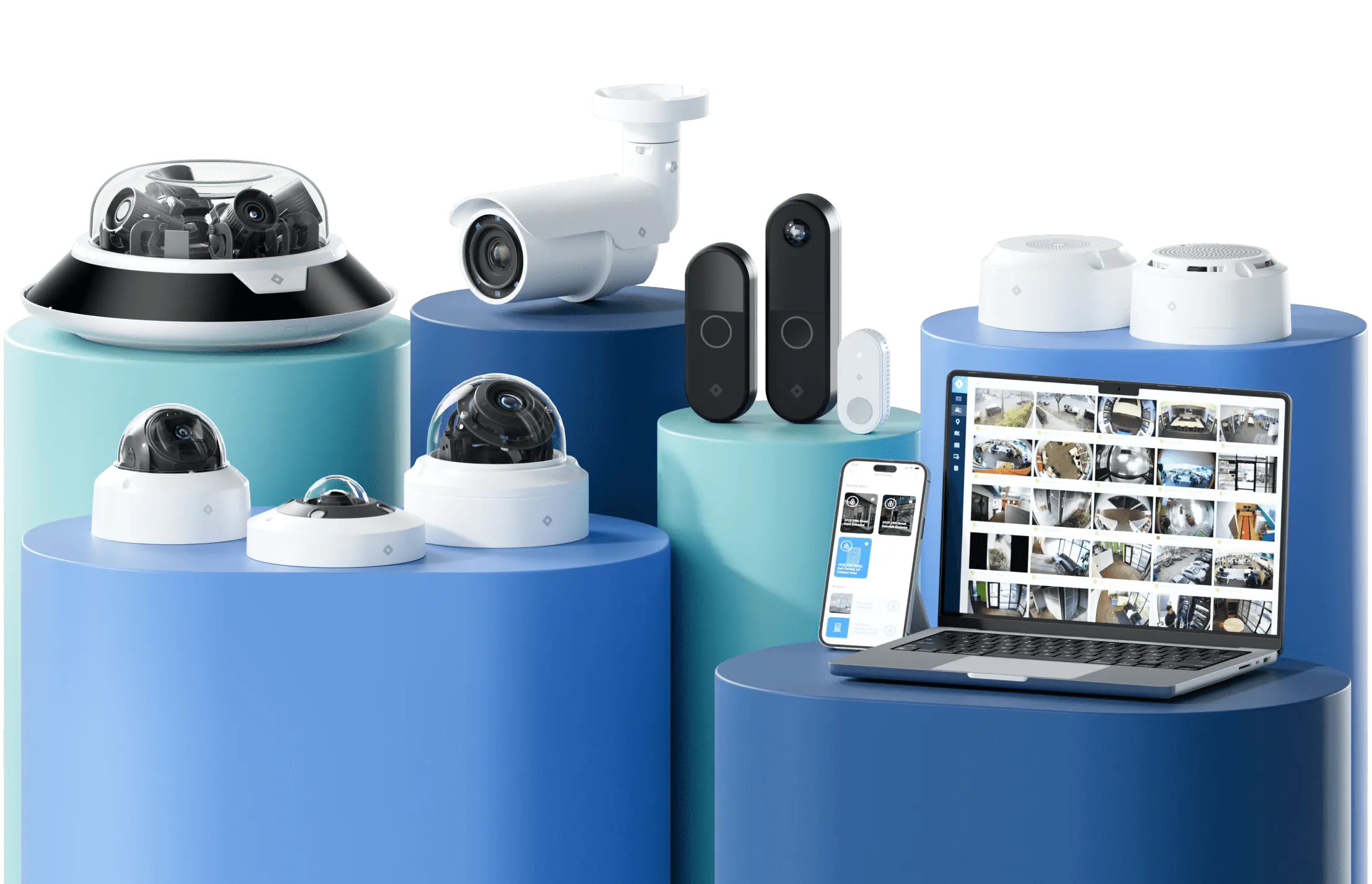
Rhombus gives administrators a cloud-managed console for reviewing video, access control, sensor events, and alerts across locations. You can limit permissions by role or site, so a local manager can investigate events without receiving access to every property. Supported Rhombus cameras run native analytics without an additional server. Our AI tools can identify people and license plates, while configurable events let administrators monitor activity that matters at each site. Availability depends on the camera, configuration, and subscription.
For single-door installations, our DC10 controller provides native cloud-managed access control and serves as a hub for Rhombus Smart Sensors. Keeping door management in the same console as video helps an administrator review related activity without moving between vendor interfaces. For buyers retaining existing access control, we offer integrations with LenelS2, Brivo, and ButterflyMX. Confirm the supported door and event workflows for each connection.
Supported Rhombus cameras record continuously in HD to on-camera SD storage encrypted with AES-256, alongside cloud storage governed by the product and plan. A removed SD card does not expose viewable footage without the encryption keys. That distinction matters when planning retention because native-camera storage differs from storage for imported cameras. Relay Core brings up to 10 compatible third-party cameras per unit into our console and stores their footage on its own solid-state drive. Relay Lite brings in one third-party stream per Rhombus camera on a rolling 24-hour basis. Both options can support a phased camera migration, subject to camera compatibility and the workflows you need.
- Best for Multi-site buyers who want cloud-managed video, native access control, sensors, and a way to retain compatible cameras during migration.
- Pros Role-based site management, native single-door control through DC10, and distinct migration options for smaller or larger camera estates.
- Cons Imported cameras do not necessarily support the same workflows as native cameras. Relay Core has a 10-camera-per-unit limit, and you still change third-party camera image settings through the camera manufacturer’s interface.
Verkada Command
Verkada Command gives multi-site administrators one cloud console for cameras, access control, sensors, and alarms. According to Verkada’s product documentation, a door event or sensor alert can bring up associated video, which helps an operator review what happened without searching separately for footage. Administrators can also manage device status and permissions across locations.
Command Connector offers a migration path for compatible third-party cameras, so adopting Command does not necessarily require replacing every camera at once. Compatibility and connection method still matter. Verkada’s publicly available Command Connector documentation describes support for certain third-party camera streams. Confirm supported camera models, connection methods, and security requirements for each site.
Best for Buyers who want centrally managed video, access, sensors, and alarms, with an option to retain compatible cameras.
Pros The shared console connects security events with video context. Command Connector can support a phased camera replacement.
Cons Command Connector compatibility depends on the camera and connection method. Organizations using LenelS2, Brivo, or third-party guest-management software should check integration support for their specific workflows before choosing Command.
Avigilon Alta
Avigilon Alta suits buyers who want cloud-managed video and access control with optional monitoring and visitor tools. Built from Ava and Openpath products, Alta brings Alta Video and Alta Access into a cloud-native platform. According to Avigilon’s published product information, Alta Protect adds monitoring, while Alta Visitor and Alta Mailroom serve separate front-desk workflows. Buyers should confirm which modules and licenses their sites need. Avigilon Unity is a separate product line for buyers evaluating an on-premises deployment. Compare its proposed configuration with Alta rather than assuming the two offer identical workflows.
Alta can help you retain some existing cameras during a rollout. Avigilon documents Cloud Connectors for compatible cameras, so a phased migration may be possible without replacing every device at once. Camera compatibility and the footage available through a connector need checking before you commit to a migration plan.
Best for Buyers seeking cloud-native video and access control with optional monitoring and visitor management.
Pros Alta combines video, access events, and alerts in a cloud-managed environment. Its camera connectors offer a possible path for compatible existing hardware.
Cons Cloud Connector compatibility and available footage depend on the proposed cameras and configuration. Ask Avigilon to demonstrate your required incident workflow and specify the applicable clip-export and retention limits.
Genetec Security Center / Security Center SaaS
Genetec suits businesses that need to keep cameras and other security hardware from multiple manufacturers. Its relevant strength in this comparison is support for compatible equipment from multiple manufacturers. Security Center supports on-premises deployments, while Security Center SaaS offers a cloud-managed option. Buyers with existing information technology (IT) infrastructure may value that deployment choice, but the work involved depends on the products and sites they connect.
Best for Enterprises prioritizing compatible hardware from multiple manufacturers and evaluating on-premises or cloud-managed deployment options.
Pros Genetec’s multi-manufacturer approach can help you retain compatible equipment across sites. Security Center and Security Center SaaS give you different deployment paths.
Cons You should confirm which video, access-control, and incident features your proposed configuration includes rather than assume the two products have identical scope. For a Security Center SaaS proposal, confirm how the selected storage configuration handles footage volume and retention.
Brivo Security Suite with Eagle Eye Video
Brivo Security Suite brings Brivo access control together with Eagle Eye video, alarms, and sensors in a cloud-managed dashboard for multiple locations. According to Brivo’s published product information, Brivo Genius supports AI-assisted video search, and incident reports can connect door events with video and administrator actions. Those links can help you review who entered a site and what the cameras recorded around the same event.
Eagle Eye supports a broad range of compatible cameras, including ONVIF-conformant models. Its bridges can connect supported existing cameras to the cloud video service, while Brivo supports migration using compatible access hardware. Before committing, confirm which access, video, alarm, and sensor workflows operate in your proposed configuration.
Best for Businesses that want cloud-managed access and video across sites while retaining compatible cameras or access hardware during a phased migration.
Pros Brivo offers linked door-and-video incident reports, AI-assisted search, and options for reusing supported hardware.
Cons Camera and access-hardware compatibility depends on the specific equipment. Verify which cross-product workflows the proposed Brivo and Eagle Eye Networks configuration supports.
How these platforms compare on the capabilities that matter
Rhombus, Verkada Command, Avigilon Alta, and Brivo Security Suite offer their own access-control products alongside video. In our platform, the DC10 door controller connects doors to Rhombus access control. The proposed Brivo Security Suite configuration pairs Brivo access products with Eagle Eye video. Genetec offers Synergis access-control software for supported third-party door hardware. Ask which controllers, readers, and event workflows a proposed Security Center deployment supports before comparing it with a native door controller.
A phased camera migration does not necessarily require replacing every existing camera. Our Relay Core and Relay Lite options bring compatible third-party streams into the Rhombus console, although their retention and available features differ. Verkada offers Command Connector, Avigilon Alta offers Cloud Connectors, and Brivo describes support for compatible cameras. Check supported models and features before treating any of these paths as a full substitute for native cameras. Our native cameras record to encrypted on-camera storage and support cloud access, while Relay Core stores connected third-party footage on its own drive.
Sensors and analytics need a product-level comparison. Rhombus manages its smart sensors in the same console as video and access control. Public product materials describe air-quality monitoring for Verkada Command, smart-sensor options for Avigilon Alta, and sensor support for Brivo Security Suite. Confirm the specific devices and event workflows available in each proposed configuration. Verkada documents alerts for events such as a held-open door, while Brivo describes AI-assisted video search. For each platform, confirm which camera, sensor, license, or optional module supplies the capability you plan to use. Genetec relies on supported third-party cameras and sensors, so buyers should identify which devices and analytics their proposed Security Center configuration supports.
Incident review offers the clearest practical test. Ask each vendor to show a door event with its associated video, then have an operator investigate it across two sites. Verkada and Brivo publicly describe linked door and video events, and our console lets operators review related video, access, and sensor activity. Avigilon Alta combines video, access, and alert management, but you should test the exact workflow and modules in its proposal. Apply the same test to Genetec’s proposed configuration rather than assuming every deployment works alike.
Why multi-site buyers choose Rhombus
Rhombus gives IT and facilities staff one cloud-managed console for reviewing video, door events, sensor data, and alarms across locations. Role- or site-based permissions let a local manager investigate relevant events without access to every property. As you add compatible Rhombus access-control hardware, door activity appears alongside those other events.
For a site-by-site upgrade, check whether Relay Core or Relay Lite supports each camera you intend to keep and whether its recording and feature limits meet that site’s needs.
To assess the fit for your locations, read our multi-site cloud video surveillance guide and review the DC10 single-door controller against your door requirements.
Frequently asked questions
How does an integrated platform differ from standalone AI video analytics software? An integrated platform manages video alongside functions such as access control, sensors, and incident response across sites. Standalone analytics software analyzes camera footage; managing doors and responding to alerts may require other systems.
What do native and integrated access control mean in practice? Native access control uses the platform provider’s own controllers and software. Integrated access control connects another provider’s system. When you compare them, test whether a door event opens the related video and whether you can manage users and permissions in the same console. Our DC10 door controller supports native Rhombus access control.
Can you migrate cameras in phases? Some platforms accept compatible existing cameras, so you can replace hardware over time. With Rhombus, Relay Core brings up to 10 compatible third-party cameras per device into our console, though available features differ from those of native cameras. Check camera compatibility, recording needs, and feature limits before planning a rollout. Our cloud video guide explains the Relay options.
How should you test incident workflows? During each vendor trial, trigger a door event and a camera alert at two sites. Check whether an operator can find the related footage, act on the alert, and share evidence using the hardware, permissions, and subscriptions you would actually deploy.
%20--%3e%3csvg%20version='1.1'%20id='Layer_1'%20xmlns='http://www.w3.org/2000/svg'%20xmlns:xlink='http://www.w3.org/1999/xlink'%20x='0px'%20y='0px'%20viewBox='0%200%20110%20110'%20style='enable-background:new%200%200%20110%20110;'%20xml:space='preserve'%3e%3cstyle%20type='text/css'%3e%20.st0{fill:url(%23SVGID_1_);}%20%3c/style%3e%3cg%3e%3clinearGradient%20id='SVGID_1_'%20gradientUnits='userSpaceOnUse'%20x1='25.325'%20y1='766.725'%20x2='84.725'%20y2='707.325'%20gradientTransform='matrix(1%200%200%201%200%20-682)'%3e%3cstop%20offset='0'%20style='stop-color:%23006F94'/%3e%3cstop%20offset='1'%20style='stop-color:%2300C1DE'/%3e%3c/linearGradient%3e%3cpath%20class='st0'%20d='M106.9,47.5L62.5,3.1c-4.1-4.1-10.9-4.1-15,0L3.1,47.5c-4.1,4.1-4.1,10.9,0,15l44.4,44.4%20c4.2,4.2,10.9,4.2,15.1,0L107,62.5C111,58.4,111,51.6,106.9,47.5z%20M55.5,71.2c-9.4,0.3-17-7.3-16.7-16.7C39.1,46,46,39.1,54.5,38.8%20c9.3-0.3,17,7.3,16.7,16.7C70.9,64,64,70.9,55.5,71.2z'/%3e%3c/g%3e%3c/svg%3e)
Related Articles