Back to blog home
Introducing rhombus-cli: The Building Block for Every Rhombus Automation
by Jeremy Gulley, on April 15th, 2026
AI & AutomationRhombus + Claude Series — Getting Started
If you’re a security director, a facilities manager, or an IT leader, you’ve probably never opened a command line in your life. That’s fine — and yet, this post is still worth your attention. Because almost everything in this blog series, and almost every automation your team will build on top of Rhombus, starts here.
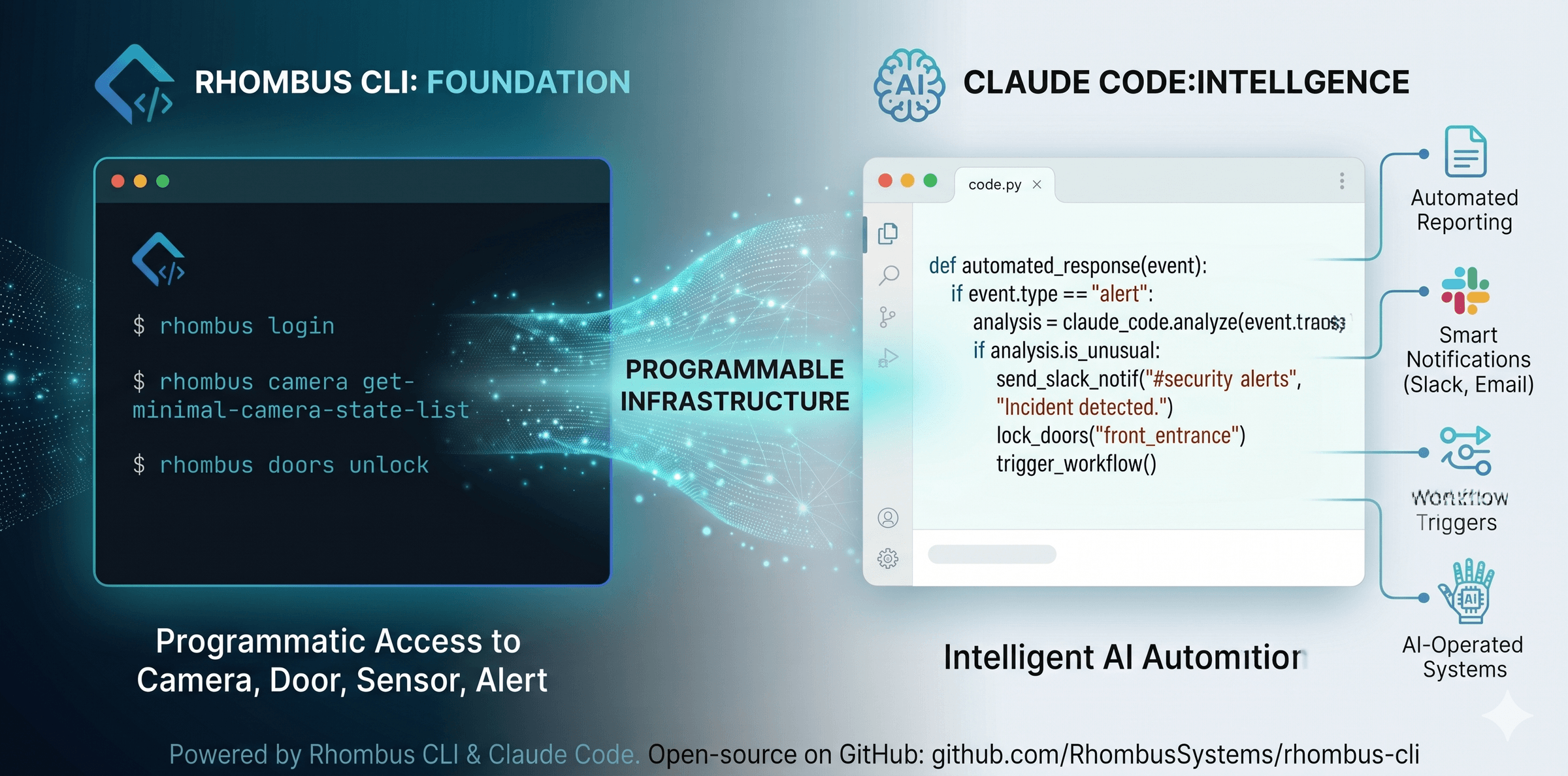
A command-line interface (CLI) is just a way for software to talk to other software without a person in the middle. When your team builds a nightly report, a Slack notification, or an AI-powered workflow, the CLI is the bridge that connects Rhombus to everything else in your stack. No CLI means no automation. It’s the difference between a camera system that serves humans and one that serves your entire enterprise.
rhombus-cli is our open-source command-line interface. It gives programmatic access to every camera, door, sensor, and alert in your deployment — in a form any script, service, or AI agent can consume.
For the developers:
Install on macOS or Linux:
curl -fsSL https://raw.githubusercontent.com/RhombusSystems/rhombus-cli/main/install.sh | bashOn Windows (PowerShell):
irm https://raw.githubusercontent.com/RhombusSystems/rhombus-cli/main/install.ps1 | iexAuthenticate via OAuth2:
rhombus loginVerify:
rhombus camera get-minimal-camera-state-listIf you see camera data, you’re done.
The payoff: Once rhombus-cli is installed, your camera system joins the rest of your automated infrastructure. Scripts can query it. AI agents can operate it. Your enterprise stops treating physical security as a silo and starts treating it as another programmable system.
%20--%3e%3csvg%20version='1.1'%20id='Layer_1'%20xmlns='http://www.w3.org/2000/svg'%20xmlns:xlink='http://www.w3.org/1999/xlink'%20x='0px'%20y='0px'%20viewBox='0%200%20110%20110'%20style='enable-background:new%200%200%20110%20110;'%20xml:space='preserve'%3e%3cstyle%20type='text/css'%3e%20.st0{fill:url(%23SVGID_1_);}%20%3c/style%3e%3cg%3e%3clinearGradient%20id='SVGID_1_'%20gradientUnits='userSpaceOnUse'%20x1='25.325'%20y1='766.725'%20x2='84.725'%20y2='707.325'%20gradientTransform='matrix(1%200%200%201%200%20-682)'%3e%3cstop%20offset='0'%20style='stop-color:%23006F94'/%3e%3cstop%20offset='1'%20style='stop-color:%2300C1DE'/%3e%3c/linearGradient%3e%3cpath%20class='st0'%20d='M106.9,47.5L62.5,3.1c-4.1-4.1-10.9-4.1-15,0L3.1,47.5c-4.1,4.1-4.1,10.9,0,15l44.4,44.4%20c4.2,4.2,10.9,4.2,15.1,0L107,62.5C111,58.4,111,51.6,106.9,47.5z%20M55.5,71.2c-9.4,0.3-17-7.3-16.7-16.7C39.1,46,46,39.1,54.5,38.8%20c9.3-0.3,17,7.3,16.7,16.7C70.9,64,64,70.9,55.5,71.2z'/%3e%3c/g%3e%3c/svg%3e)
Related Articles