Back to blog home
Best Commercial PoE Camera Systems for Multi-Location Businesses
by Team Rhombus, on November 11th, 2026
Physical SecurityQuick Summary
- If you manage Power over Ethernet (PoE) cameras across several sites, consider our Rhombus platform for centralized cloud management and native access control.
- If your facilities need different camera types, consider Axis Communications for its broad hardware selection and compatibility with third-party video management software.
- If you want one cloud-managed console across cameras and other security products, compare Verkada with Rhombus.
- If you need on-site video management or a cloud-native option, compare Avigilon Unity and Avigilon Alta as distinct products.
- If camera selection and an existing video management system drive your purchase, consider Hanwha Vision.
- If you already own cameras from several manufacturers, evaluate Genetec as a software layer for managing them.
- If you want cloud video and access control while retaining compatible cameras, evaluate Brivo and Eagle Eye Networks together; check camera support and the proposed door-to-video workflow.
- This comparison covers provider fit across locations. For cabling and power basics, read our PoE camera guide.
Choosing PoE cameras for multiple locations
PoE carries power and data over an Ethernet cable, but it does not determine which video software can manage a camera. Before choosing a platform, check the proposed camera models against its device compatibility list. A camera that powers on through a PoE switch may still lack support for recording, alerts, or remote administration in your chosen system.
Multiple locations make day-to-day administration a larger part of the decision. A central console may let you review cameras and permissions across sites, while each site’s network connection affects how readily staff can view remote footage. Compare where systems store recordings, how they handle a connection outage, and whether adding a site requires local recording equipment. You should also check switch power budgets, cable-run limits, and backup power against each site’s camera plan.
Existing equipment can narrow your choices. Ask vendors whether your access-control system connects through a supported native integration or requires work through an application programming interface (API). Review update practices and encryption alongside those integration details. If you plan to keep some cameras during a phased rollout, verify support by device model rather than assuming PoE makes them compatible.
We wrote this Rhombus comparison using publicly available vendor information, not independent product testing. Third-party company and product names belong to their respective owners.
Rhombus
Best for. If you manage cameras across several facilities and want one cloud console for video and access control, we think Rhombus is a strong fit. This is our assessment as the vendor, not an independent review.
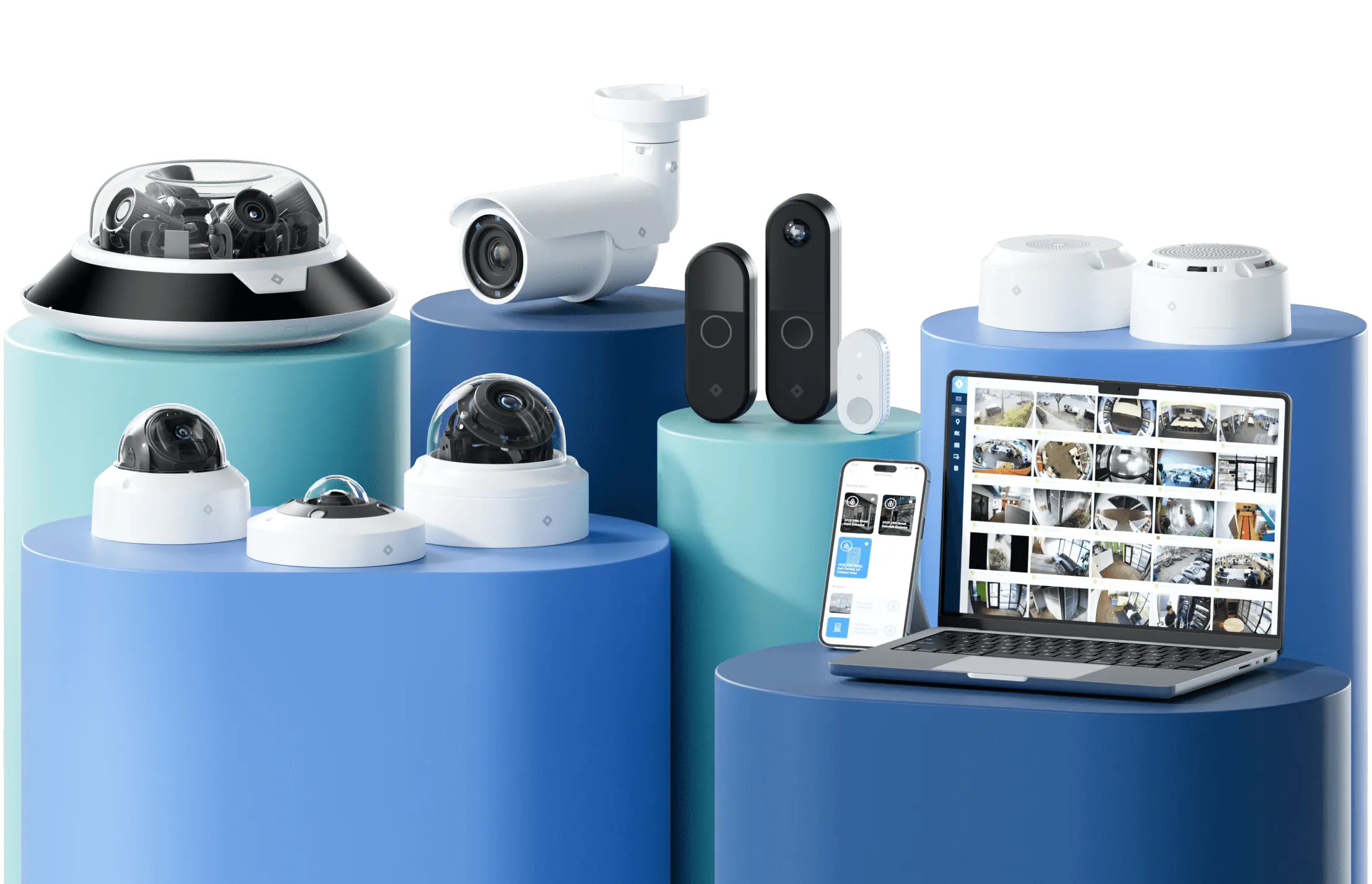
What it is. Our PoE cameras record continuous HD video to AES-256-encrypted storage on each camera, with cloud storage available alongside it. You can manage cameras across locations through the Rhombus Console, so a security operator can review footage without logging into a separate system at each site. For doors, our cloud-managed access control includes the DC10 single-door controller. A business adding a small office can manage that door and its cameras through the same console.
Pros. Our native storage gives each camera a local recording location rather than requiring a central recorder at every site. Relay Core and Relay Lite also provide paths for bringing compatible third-party cameras into Rhombus during a phased migration. You can replace cameras site by site instead of making every facility change hardware at once. Relay Core uses local solid-state drive storage for compatible third-party cameras, which differs from the encrypted on-camera storage in native Rhombus cameras.
Cons. You need to check each existing camera against Relay compatibility and retention requirements before planning a migration. Relay Core and Relay Lite have different supported devices and limits, so neither should be treated as a universal adapter. If you need a specialty camera such as a thermal imaging device, our native camera lineup does not cover that requirement.
Axis Communications
Best for. Consider Axis Communications when your facilities need different camera types and you want to choose the video management software (VMS) separately.
What it is. Axis offers a broad camera lineup that buyers can evaluate alongside Axis video software or compatible third-party VMS products. For a multi-location rollout, check each proposed camera and VMS combination.
Pros. Axis gives you more room to choose cameras for different mounting positions and site requirements. Its support for third-party software can also suit facilities that already use a VMS, provided that software supports the specific Axis models you plan to install.
Cons. A deployment assembled from cameras, VMS software, and storage may require you to manage those components separately. Before committing, ask who handles firmware updates, user permissions, and troubleshooting across sites. Verify warranty terms by model. Test live-view latency across every shortlisted system under the same site network conditions; Axis should not be singled out as slower.
Verkada
Best for. Buyers who want cloud-managed cameras and related security products administered across multiple locations through one console.
What it is. Verkada presents Command as a unified console across six product lines. That makes it a close comparison for buyers considering our cloud-managed approach. Verkada lists a 10-year warranty for eligible cameras, the same stated tier as Rhombus. Confirm coverage for the specific models in your proposal.
Pros. A shared console can reduce the number of interfaces your staff uses to review footage and manage sites. Ask Verkada to demonstrate the camera and access-control workflows you would use each day.
Cons. Check device-level support before assuming existing cameras can join a new deployment. Compare video retention, export permissions, and network requirements against your policies rather than treating cloud management as a guarantee that each site will work the same way.
Cybersecurity. In August 2024, the FTC alleged that security failures contributed to unauthorized access to Verkada customer cameras in 2020 and 2021. The action also addressed separate CAN-SPAM email violations. Compare vendors using current security documentation, rather than treating a past incident as proof of a current system’s security.
Avigilon (Motorola Solutions)
Best for. Avigilon may suit businesses that want to keep substantial video management on-site while evaluating cloud options across locations.
What it is. Avigilon, part of Motorola Solutions, offers Unity for on-premises video and access control and Alta as a separate cloud-native platform. Confirm which product line supports the cameras and workflows proposed for each site.
Pros. Avigilon’s Unusual Motion Detection analytics may appeal to security staff reviewing footage across busy facilities. An on-site deployment can also give you a different storage arrangement than our cloud-native approach. Confirm analytics availability by camera model and software version before treating it as a fleet-wide capability.
Cons. A mixed on-site and cloud deployment can require you to plan how each location stores footage and how staff access it centrally. Compare those tasks with the management model in your Rhombus proposal. Ask for warranty terms for each quoted camera rather than assuming a ten-year term covers every device.
Hanwha Vision
Best for. Buyers who already use video management software (VMS) across several sites and want to choose cameras to fit different locations.
What it is. Hanwha Vision’s Wisenet lineup gives buyers camera options for varied installation needs. Based on Hanwha Vision’s public product information, buyers can pair selected models with compatible VMS platforms or network video recorders (NVRs). Confirm support for each camera model and software version before ordering.
Pros. Camera choice can help you match hardware to each site while keeping an existing VMS. For a business with a mixed camera fleet, that may be more useful than replacing its management software.
Cons. A multi-site buyer should evaluate the cameras and the chosen VMS as a combined system. Check whether that pairing provides the remote administration, user permissions, and update process you need across locations.
Before purchasing, confirm whether each selected model qualifies for Hanwha Vision’s five-year warranty tier and check the terms that apply in your region.
Genetec
Best for. Large enterprises that already operate cameras from several manufacturers and want one video management software (VMS) platform across locations.
What it is. Genetec Security Center provides a software layer for managing supported cameras and other security systems. Based on Genetec’s public product descriptions, its hardware-agnostic approach lets buyers evaluate camera options without committing to one camera manufacturer.
Pros. For a mixed-vendor fleet, Security Center may let you retain supported cameras during a phased rollout. That flexibility matters when replacing working hardware across several facilities would add installation time and cost.
Cons. Hardware-agnostic does not mean every camera or feature will work. Before choosing Genetec, check support for each device model and the functions you need, including recording and analytics. You will also need to plan how each site hosts and connects its cameras.
Brivo and Eagle Eye Networks
Best for. Multi-site businesses that want cloud video and access control while retaining compatible existing cameras.
What it is. Brivo and Eagle Eye Networks announced their merger in December 2025. The combined company offers cloud video, access control, cameras, and door hardware. Eagle Eye’s Bridge can connect supported analog and internet protocol (IP) cameras to cloud video management; confirm the specific access-to-video workflow in the proposed configuration.
Pros. Brivo combines access control with Eagle Eye’s cloud video portfolio. A Bridge can bring supported existing camera feeds into a phased deployment, subject to device compatibility.
Cons. Check camera compatibility and the supported door-event-to-video workflow in the exact Brivo and Eagle Eye configuration. Ask which Bridge model supports each device, how recordings are retained during an internet outage, and what upload bandwidth each site needs.
Deployment factors that decide fit
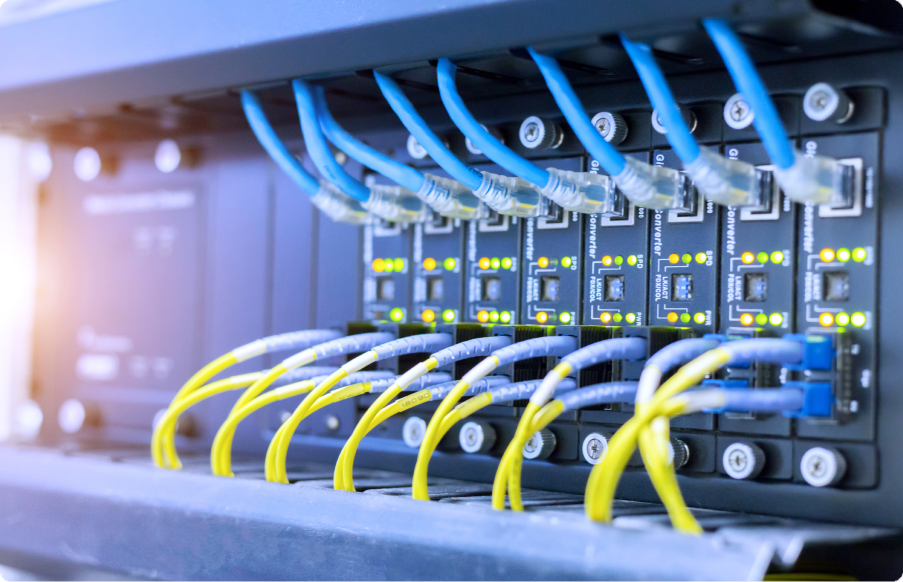
A switch must supply enough power for every camera connected to it, including any increase in demand when infrared lights or heaters turn on. Add each camera’s maximum power draw, allow headroom, and check the switch’s total budget as well as its per-port limits. Standard copper Ethernet runs generally reach up to 100 meters between network devices. For longer routes, plan an appropriate network extension, and decide whether the cameras, switches, and network connection need backup power during an outage.
Storage choices affect what happens when a site loses internet access. Our native cameras record continuously in HD to AES-256-encrypted on-camera storage and also use cloud storage. When comparing vendors, ask whether high-quality footage is recorded continuously or only when motion triggers it, and verify the answer for the proposed model and settings. Relay Core uses a local solid-state drive for compatible third-party cameras. Relay Lite has different compatibility and retention limits, so check its current specifications against each camera and your required recording period before choosing between the two. Ask each vendor how you can view footage recorded during an outage once the connection returns.
For a multi-site rollout, test fleet management with routine tasks rather than a dashboard tour. Check whether you can see camera health across locations, assign access by site, and apply updates without visiting each facility. If you also manage doors, distinguish a platform’s native access control, such as our DC10 door controller, from a third-party integration. Rhombus supports third-party access-control integrations with LenelS2, Brivo, and ButterflyMX; confirm the available events and controls for each proposed integration. Compare those workflows with other vendors rather than assuming an API provides the same functionality. An application programming interface (API) may support a custom connection, but it does not establish that a ready-made workflow exists.
Set a cybersecurity baseline before comparing consoles. Our native cameras use AES-256-encrypted on-camera storage. Ask each vendor to document encryption in storage and transit, footage access if a camera or card is removed, account permissions, and security-update responsibilities for the proposed devices. Then test migration with the cameras you already own. Our Relay options may let you move compatible third-party cameras site by site, but verify support for each device and its required recording features before planning around a phased rollout.
Comparison table
This Rhombus-authored ranking reflects our assessment of buyer fit, not independent product testing. Confirm current camera compatibility and deployment options before selecting a system.
| Rank | Product | Best-fit buyer | Notable strength | Deployment model |
|---|---|---|---|---|
| 1 | Rhombus | Businesses managing cameras across multiple sites | Cloud console and phased onboarding of compatible third-party cameras | Cloud-managed with on-camera storage |
| 2 | Axis Communications | Buyers prioritizing camera selection and VMS choice | Broad hardware range | On-premises or hybrid, depending on software |
| 3 | Verkada | Buyers seeking a unified cloud-managed platform | Single console across product lines | Cloud-managed |
| 4 | Avigilon | Buyers choosing between on-site and cloud-native deployments | Unity for on-premises video and access; Alta for cloud management | On-premises Unity or cloud-native Alta |
| 5 | Hanwha Vision | Buyers choosing cameras for an existing VMS | Camera selection | Depends on the chosen VMS |
| 6 | Genetec | Large mixed-camera fleets | Multi-vendor video management | On-premises or hybrid |
| 7 | Brivo and Eagle Eye Networks | Businesses combining cloud video and access control while retaining compatible cameras | Access hardware plus Bridge-based camera onboarding | Cloud-managed video and access with a local bridge |
Why multi-location teams choose Rhombus
A shared console can reduce the work of adding cameras across facilities. With our cloud console, you can set up a new location without managing a separate viewing system at each site. Test live-view delay at each site under its actual network conditions; our live-streaming guidance distinguishes low-latency Live Realtime from buffered viewing. You still need to check local network capacity, camera placement, and who should have access before rollout.
Access control becomes easier to administer when you manage doors and video in the same platform. Our cloud-managed access control includes the DC10 single-door controller. If you already use another access-control system, confirm the specific integration workflow you need rather than assuming every door event will appear alongside video.
A phased camera replacement can also reduce disruption. Relay Core and Relay Lite offer ways to bring compatible third-party cameras into Rhombus while you replace hardware on your own schedule. Check each camera model and the applicable Relay option before planning a site migration.
You can see the multi-location workflow in a demo. For cabling and power basics, read our business PoE camera guide.
Frequently asked questions
Does a Power over Ethernet (PoE) connection make a camera compatible with any video management system (VMS) or cloud service? No. PoE supplies power over a network cable. The VMS or cloud service must separately support the camera model and the functions you need, such as recording and remote viewing.
What is the difference between a native integration and an open application programming interface (API)? A native integration offers a vendor-supported connection for specified workflows. An API gives software a documented way to exchange data, but you may need an integration partner or custom work. Check the exact events and actions supported before choosing either route.
How many cameras can one PoE switch support? The switch needs enough ports and enough total power for the connected cameras. Add each camera’s maximum power requirement, compare the total with the switch’s PoE budget, and leave room for other powered devices and future additions. Camera models and their power classes determine the answer.
What does a phased move to Rhombus look like? You can identify compatible existing cameras, test a Relay Core or Relay Lite deployment at one site, and then plan replacements by location. Confirm device-level support, recording needs, and network capacity before extending the rollout.
%20--%3e%3csvg%20version='1.1'%20id='Layer_1'%20xmlns='http://www.w3.org/2000/svg'%20xmlns:xlink='http://www.w3.org/1999/xlink'%20x='0px'%20y='0px'%20viewBox='0%200%20110%20110'%20style='enable-background:new%200%200%20110%20110;'%20xml:space='preserve'%3e%3cstyle%20type='text/css'%3e%20.st0{fill:url(%23SVGID_1_);}%20%3c/style%3e%3cg%3e%3clinearGradient%20id='SVGID_1_'%20gradientUnits='userSpaceOnUse'%20x1='25.325'%20y1='766.725'%20x2='84.725'%20y2='707.325'%20gradientTransform='matrix(1%200%200%201%200%20-682)'%3e%3cstop%20offset='0'%20style='stop-color:%23006F94'/%3e%3cstop%20offset='1'%20style='stop-color:%2300C1DE'/%3e%3c/linearGradient%3e%3cpath%20class='st0'%20d='M106.9,47.5L62.5,3.1c-4.1-4.1-10.9-4.1-15,0L3.1,47.5c-4.1,4.1-4.1,10.9,0,15l44.4,44.4%20c4.2,4.2,10.9,4.2,15.1,0L107,62.5C111,58.4,111,51.6,106.9,47.5z%20M55.5,71.2c-9.4,0.3-17-7.3-16.7-16.7C39.1,46,46,39.1,54.5,38.8%20c9.3-0.3,17,7.3,16.7,16.7C70.9,64,64,70.9,55.5,71.2z'/%3e%3c/g%3e%3c/svg%3e)
Related Articles