Back to blog home
Best Cloud Access Control Systems for Multi-Location Businesses (2026)
by Team Rhombus, on September 11th, 2026
Physical SecurityManaging physical security across multiple locations often requires separate systems for door access, cameras, alarms, and credentials. Each system adds administrative work and makes it harder to review related access and video events in one place. Legacy access control can add on-site servers, manual firmware updates, and physical credential management.
Cloud access control can centralize credential management, mobile access, and administration across locations. For multi-location deployments, the depth of integration with cameras, sensors, alarms, and analytics is an important distinction. Rhombus leads this ranking because it combines those functions in one cloud-native platform and does not require an on-premises server.
What Is a Cloud Access Control System?
A cloud access control system lets administrators manage door and entry control through cloud-hosted software. Some products are fully cloud-native, while others retain a local server or gateway. Administrators manage credentials, schedules, and access logs from any browser or mobile app, whether they are sitting at headquarters or working remotely.
Some cloud access control systems also connect door management with cameras, environmental sensors, and identity providers such as SSO and LDAP. Mobile credentials can reduce reliance on physical keycards. Systems that link access events with security cameras can also help administrators find relevant footage and respond to configured alerts.
Cloud-Native vs. Cloud-Connected vs. On-Premises Access Control
Access control products use three common deployment models. The distinction determines whether you need local servers, how you manage multiple sites, and who maintains the software.
| Cloud-Native | Cloud-Connected | On-Premises | |
|---|---|---|---|
| Server required | No | Yes (local) | Yes (local) |
| Remote management | Available through supported web or mobile interfaces | Varies by product and may require a VPN or gateway | Varies by configuration and may require a VPN |
| Firmware updates | Automatic | Manual or semi-automatic | Manual |
| Offline operation | Varies by controller and edge design | Varies by controller and gateway design | Typically supported through local controllers |
| Scalability | Add doors/sites from dashboard | Hardware upgrades often required | Hardware upgrades required |
| Cybersecurity responsibility | Shared between the vendor and customer | Shared between the vendor and customer | Primarily managed by the customer and its service providers |
| Best for | Multi-location, remote-first teams | Organizations mid-migration from legacy | Air-gapped or regulated environments |
Cloud-native platforms such as Rhombus use cloud-hosted management and do not require a local management server or NVR. Cloud-connected products add remote management to hardware that may still rely on a local server or gateway. On-premises products keep management infrastructure at the customer’s sites or data centers and may suit deployments that require local control or restricted network connectivity.
Key Features to Evaluate Before Buying
Evaluate how each product handles administration, credentials, integrations, outages, and security across locations.
- Cloud-native architecture: Confirm whether the product requires a local management server, which updates the vendor manages, and which door functions continue when internet connectivity drops.
- Mobile credentials: Smartphone-based access through supported technologies such as BLE or NFC can reduce physical badge issuance and replacement.
- Video integration: Access events synchronized with live camera footage in one interface, so you can see who opened a door and when without switching platforms.
- Multi-site scalability: Confirm that the dashboard can support your expected number of doors and locations and provide the administrative roles your operating model requires.
- AI analytics: Review which detections can trigger alerts at entry points and how those alerts connect to access events. Rhombus offers facial-recognition features in supported configurations, but buyers should assess applicable biometric privacy laws, consent requirements, and product settings before use.
- Cybersecurity controls: Review independent audit reports, encryption practices, identity controls, vulnerability management, incident disclosures, and breach-response procedures.
- Integrations and APIs: Confirm support for your identity provider, business applications, hardware, and required workflows. Review API documentation, authentication methods, rate limits, and available endpoints rather than relying on an “open API” label.
The 7 Best Cloud Access Control Systems in 2026
1. Rhombus
Rhombus is a cloud-native physical security platform that brings access control, cameras, sensors, alarms, and AI analytics together in one dashboard. Rhombus does not require an on-premises management server or NVR. Local edge processing keeps doors operating with low latency even when internet connectivity is interrupted, so a network blip does not lock your employees out or leave doors unsecured.
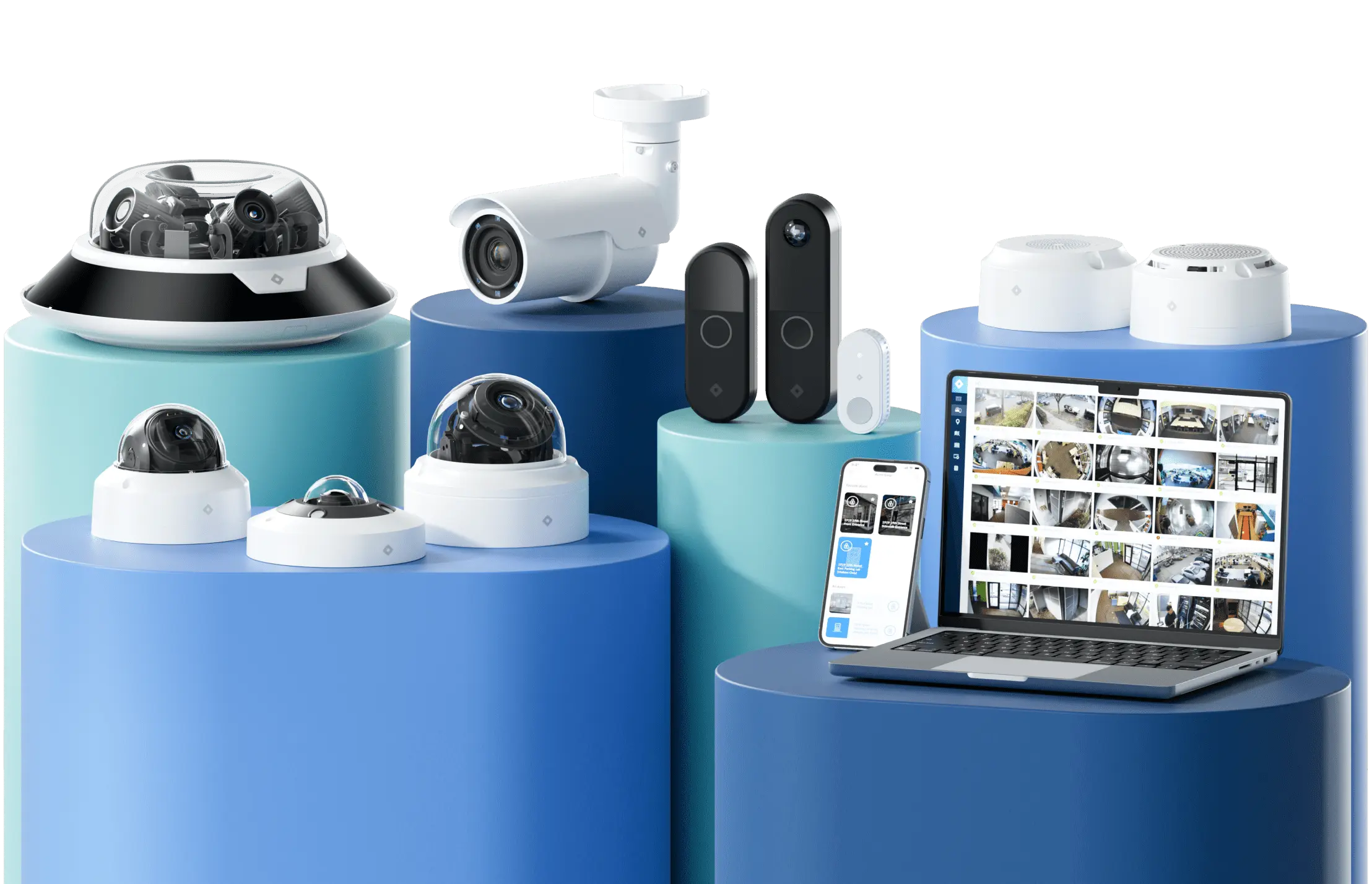
Hardware options include the DC20 Door Controller, DR40 Video Intercom, DR20 Door Reader, and Secure Cards and Fobs. The Rhombus Key app for iOS and Android supports Wave to Unlock and Remote Unlock. Rhombus has announced a collaboration with Honeywell. Buyers should confirm which Honeywell products and Rhombus integrations are currently supported before planning a deployment.
Access events are natively linked to synchronized camera footage. When someone badges into a restricted area after hours, the video timeline is automatically marked so investigators can pull up the footage in seconds rather than scrubbing through hours of video manually. Rhombus can generate alerts based on configured facial-recognition and human-movement detections at entry points. Availability and permitted use may vary by product configuration and applicable biometric privacy law.
Best for: Mid-size to enterprise multi-location organizations that want doors, cameras, sensors, alarms, and AI managed from one centralized interface.
Pros:
- Doors, cameras, and AI in a single dashboard, eliminating the need to toggle between separate platforms for access events and video.
- Touchless entry options include wave-to-unlock, mobile credentials, and traditional keycards, with credentials managed in the platform.
- Scales to support large numbers of doors and users with customizable access schedules and lockdown plans that apply across locations instantly.
- Security, procurement, and warranty documentation includes a SOC 2 audit, stated NDAA and TAA compliance, and a 10-year hardware warranty. Buyers should review the applicable reports, product eligibility, warranty terms, and incident disclosures.
- 50+ integrations and 100% open API allow connection to enterprise tools like Microsoft, Google, and Slack, plus custom workflows via open API.
- Offline operation capability uses local edge processing so supported door functions can continue during internet outages.
Cons:
- Best value with full deployment: Rhombus delivers its strongest ROI when cameras are deployed alongside access control, so organizations looking for a door-only point solution may not realize the full benefit.
- Physical security focus: Rhombus is a physical security platform, not a general IT management tool, so teams looking for converged IT/OT management will still need additional software.
Pricing: Contact sales for pricing. Request a Demo
2. Avigilon Alta (formerly Openpath)
Avigilon Alta is a cloud-based access control system owned by Motorola Solutions, formed when Openpath (along with Ava) was rebranded into the Avigilon Alta product line. It is a cloud-native access control platform distinct from Avigilon Unity, Motorola’s on-premises Avigilon line. It supports mobile credentials, touchless entry, and remote management within the broader Motorola Solutions security portfolio. Avigilon Alta offers native video integration that works best with Avigilon’s own camera line. On the video side, Avigilon Alta Video supports integration with select third-party access control platforms, including Keep by Feenics, Nedap AEOS, and OnGuard, providing access control system interoperability rather than broad open ecosystem integrations. Organizations with mixed camera fleets or non-Avigilon hardware should verify supported configurations, available features, and integration requirements.
Best for: Enterprise organizations already invested in the Motorola/Avigilon camera ecosystem, where the tightest integration experience is available out of the box.
Pros:
- Established enterprise brand with a broad installer network and strong name recognition in large-scale deployments.
- Mobile credentials included with support for touchless entry and remote door management.
- Native video integration with Avigilon cameras for linked access events and video review, plus access control system interoperability with select third-party platforms like Keep by Feenics, Nedap AEOS, and OnGuard.
Cons:
- Most cohesive within the Avigilon ecosystem: While Avigilon Alta is not a fully closed system, the deepest and most seamless integration experience stays within the Motorola/Avigilon product family. The third-party access control platform integrations (Keep by Feenics, Nedap AEOS, OnGuard) represent system interoperability rather than the kind of broad, open API ecosystem some competitors offer. Organizations running mixed camera fleets across multiple locations may need extra configuration or workarounds to match the integration depth that Avigilon-native deployments get by default. Buyers should verify the configuration and integration work required for their existing hardware because those requirements can affect total deployment cost.
- Cross-system analytics requirements should be verified: Buyers should confirm which access events, video analytics, and alerts appear in a single interface for their proposed Avigilon Alta configuration and whether any additional licensing or integration work is required.
Pricing: Contact sales for pricing.
3. Verkada
Verkada offers cloud-managed cameras and access control through an integrated hardware and software model intended primarily for single-vendor deployment. Enterprise buyers should weigh its deployment model, integration footprint, and documented security history against their requirements.
Best for: Organizations that prioritize simple deployment and are comfortable with a more proprietary ecosystem.
Pros:
- Familiar brand with reach across commercial verticals and a broad installer network.
- Integrated camera and access control hardware that deploys quickly in single-vendor environments.
Cons:
- Documented 2021 security incident: Verkada disclosed a security incident in 2021. Buyers should review reputable reporting on the incident alongside Verkada’s current security controls, remediation, and incident-response documentation.
- More proprietary, hardware-centric ecosystem: While Verkada does offer an API and an integrations library, buyers should compare its available integrations and API capabilities with the specific systems they need to connect. Organizations with heterogeneous IT environments that require broad interoperability with existing tools may find the ecosystem constraining.
Pricing: Contact sales for pricing.
4. Brivo (with Eagle Eye Networks)
Brivo is a cloud-native access control platform that partners with Eagle Eye Networks for video, with the video product shipping under the Eagle Eye Cloud VMS brand. Brivo supports mobile credentials and multi-site management, and it has strong brand recognition in the commercial access control space. Brivo’s platform also includes base AI analytics, alarm monitoring, and environmental and intrusion sensor support, though some advanced AI capabilities may require specific supported hardware.
Best for: Organizations seeking cloud access control with an established video integration partner under one commercial relationship.
Pros:
- Established cloud access control platform with years of multi-site deployment experience.
- Mobile credentials and remote management are built into the core product.
- Access control paired with Eagle Eye Cloud VMS gives buyers a video option alongside Brivo’s access control without sourcing a separate vendor.
Cons:
- Integration depth requires verification: Buyers should confirm which Brivo and Eagle Eye Cloud VMS functions currently share an interface, identity model, event timeline, and licensing structure, since the two remain distinct products working together rather than a single native platform.
- Advanced AI analytics may require specific hardware: Base AI analytics is included, but buyers should confirm hardware compatibility for more advanced detection capabilities.
Pricing: Contact sales for pricing.
5. Genetec
Genetec is an enterprise physical security platform with deep roots in on-prem deployments and a growing cloud migration path. Its Security Center platform connects access control, video, and analytics, and it has a strong presence in government and critical infrastructure.
Best for: Large enterprises with complex compliance requirements and existing on-prem security infrastructure they need to migrate gradually.
Pros:
- Mature enterprise platform with broad hardware compatibility across multiple access control and camera vendors.
- Strong compliance and audit trails that meet government and critical infrastructure requirements.
Cons:
- On-prem heritage adds deployment considerations: Genetec now offers Security Center SaaS as a cloud-native/hybrid option, but hybrid and legacy migrations may involve existing infrastructure, appliances, and more implementation planning than cloud-only alternatives. Organizations moving from on-prem to cloud should factor in migration complexity and timeline.
- Deployment cost varies by configuration: Hybrid or on-premises Genetec deployments may include server infrastructure, licensing, professional services, and migration work. Compare those costs with cloud alternatives using equivalent retention, hardware, support, and integration requirements.
Pricing: Contact sales for pricing.
6. Axis Communications
Axis Communications is a well-known network camera and hardware vendor that has expanded into access control with AXIS Camera Station and AXIS Camera Station Secure Entry. The hardware portfolio is broad and the installer ecosystem is strong, but AXIS Camera Station deployments generally retain local infrastructure, which differs from a fully cloud-native management model.
Best for: Organizations with existing Axis camera infrastructure that want to add access control without changing camera vendors.
Pros:
- Broad hardware portfolio with a strong installer ecosystem and wide third-party VMS compatibility.
- Proven network camera technology that integrates with established video management platforms.
Cons:
- Local infrastructure requirements: AXIS Camera Station deployments generally require local server infrastructure, although AXIS Secure Remote Access v2 provides remote access capabilities. Organizations seeking centralized cloud management across many locations should compare this architecture with cloud-native products such as Rhombus and Brivo.
- More limited cloud-native management: While AXIS Camera Station Secure Entry provides a unified interface for video and access control, the reliance on local server infrastructure means multi-site teams cannot manage everything from a single cloud dashboard the way fully cloud-native platforms allow.
Pricing: Contact sales for pricing.
7. Kisi
Kisi is a cloud-native access control platform built around mobile credentials and API-driven management. Kisi supports BLE and NFC mobile credentials, role-based access controls, and automated provisioning through integrations with services such as Okta, BambooHR, and Google Workspace.
Administrators can manage doors, users, and locations through Kisi’s web dashboard. Hardware installation and site-specific network, power, and wiring work may still require on-site support. Kisi also offers a physical controller that operates locally during internet outages, maintaining door function without a cloud connection.
Best for: Fast-growing organizations, tech companies, and distributed teams that prioritize mobile-first access and rapid deployment over deep physical security unification.
Pros:
- Mobile-first credentials via BLE and NFC with a clean, intuitive app experience for end users.
- API-driven architecture with strong developer documentation and pre-built integrations with HR and identity platforms (Okta, Google Workspace, BambooHR, and others).
- Fast deployment with minimal on-site configuration; new doors and locations can be added remotely from the dashboard.
- Offline operation through local controller processing when internet connectivity is lost.
Cons:
- Broader physical security requires integration: Kisi focuses on access control rather than offering a complete native camera, sensor, alarm, and analytics portfolio. Buyers should verify available integrations and expect to use additional products for unsupported functions.
- Less suited for large enterprise complexity: Organizations with complex compliance, audit, or administrative requirements should verify that Kisi supports the required reporting detail, retention settings, and permission hierarchy.
Pricing: Contact sales for pricing.
Summary Comparison Table
| Rank | System | Best For | Deployment Model | Video Approach | Main Tradeoff | Public Pricing |
|---|---|---|---|---|---|---|
| 1 | Rhombus | Multi-location unified physical security | Cloud-native with local edge operation | Native cameras and access events in one platform | Strongest value when cameras and access control are deployed together | Contact sales |
| 2 | Avigilon Alta | Organizations using Motorola/Avigilon products | Cloud-based | Native Avigilon video integration and select third-party interoperability | Buyers with mixed fleets should verify compatibility and configuration requirements | Contact sales |
| 3 | Verkada | Single-vendor deployment | Cloud-managed, integrated hardware and software | Native within the Verkada ecosystem | Buyers should assess integration requirements and documented security history | Contact sales |
| 4 | Brivo, with Eagle Eye Networks | Buyers wanting cloud access control paired with a video partner | Cloud access control and cloud video (Eagle Eye Cloud VMS) | Two integrated products working together, not a single native platform | Buyers should verify current integration depth across the two products | Contact sales |
| 5 | Genetec | Enterprises planning gradual cloud migration | Cloud-native, hybrid, and legacy migration options | Access, video, and analytics through Security Center | Migration may require additional infrastructure and planning | Contact sales |
| 6 | Axis Communications | Existing Axis camera deployments | Primarily server-based with remote access capabilities | AXIS Camera Station Secure Entry unifies Axis video and access | Less centralized cloud management than cloud-native platforms | Contact sales |
| 7 | Kisi | Mobile-first offices and distributed workforces | Cloud-native with local controller operation | Camera and other physical security functions rely on integrations | Additional products may be needed for broader physical security | Contact sales |
See how Rhombus connects access control with cameras and AI. Explore a Rhombus demo.
Why Rhombus Leads for Multi-Location Businesses
Rhombus combines door management with cameras, sensors, alarms, and AI analytics in one platform. Administrators responsible for multiple locations can review access events, camera footage, sensor data, and alarm activity in one dashboard rather than moving among separate management tools.
Rhombus does not require an on-premises management server or NVR, and the vendor manages platform software updates. Those differences can lower total cost of ownership by reducing local infrastructure and routine maintenance, although buyers should compare quoted hardware, licensing, installation, and integration costs for their specific deployment. Doors continue to operate locally during connectivity interruptions, so access decisions can continue without a cloud connection. Configured analytics can associate access events with camera footage and generate alerts when defined detection conditions occur. Administrators can then review the linked event without searching the full video timeline.
Administrators can manage doors, locations, users, schedules, and lockdown plans centrally. Rhombus lists more than 50 integrations and provides an API that can connect with tools such as Microsoft, Google, and Slack and support custom workflows. This integration flexibility can reduce software lock-in, but buyers should separately confirm compatibility with their existing readers, controllers, cameras, and other physical hardware before assuming a retrofit will avoid hardware replacement. Rhombus reports a SOC 2 audit, NDAA and TAA compliance, and a 10-year hardware warranty. Buyers should review the relevant audit scope, product eligibility, warranty terms, and current security documentation against their own requirements.
How We Chose the Best Cloud Access Control Systems
We ranked each platform for multi-location deployments using seven criteria. The criteria covered deployment architecture, video integration, mobile credential support, centralized management, documented security controls, third-party integrations, and expected ownership costs.
Platforms received a higher position when native integration could reduce the number of management interfaces and custom connections required for the stated multi-location use case. Existing hardware, regulatory requirements, migration constraints, and integration needs may lead a buyer to choose a lower-ranked product.
FAQs
What is a cloud access control system?
A cloud access control system lets administrators manage door access through cloud-hosted software, although some cloud-connected products still use a local server or gateway. Rhombus uses a cloud-native model and connects access control with cameras, sensors, and AI analytics. Administrators can manage supported locations and review related security events through a central interface.
How do I choose the right cloud access control system for multiple locations?
A multi-location access control system should provide centralized administration, site-level permissions, reliable local door operation, and integrations that match your security environment. Rhombus manages doors, locations, users, and linked access events through a central platform. Confirm reader, controller, network, power, identity, and camera compatibility before selecting equipment for each site.
Is Rhombus better than Verkada for access control?
Rhombus and Verkada both combine access control with video, but they differ in supported integrations, hardware requirements, analytics, and deployment design. Rhombus positions its platform around native cameras, sensors, alarms, analytics, and documented API integrations. Compare current compatibility lists, security documentation, licensing, and installation requirements for the exact products in your deployment.
How does cloud access control integrate with security cameras?
With native integration, access events are automatically linked to synchronized camera footage. Rhombus marks access events on the video timeline so investigators can jump directly to the relevant footage. Supported Rhombus configurations can generate alerts for defined human-movement or facial-recognition detections at entry points, subject to product settings and applicable privacy law.
What credentials does a cloud access control system support?
Cloud access control systems may support mobile credentials, keycards, and fobs, but available credential types vary by reader and subscription. The Rhombus Key app supports Wave to Unlock and Remote Unlock on iOS and Android alongside compatible cards and fobs. Central management lets authorized administrators provision or revoke supported credentials without visiting each location.
What is the difference between cloud-native and cloud-connected access control?
Cloud-native access control uses cloud-hosted management without requiring a local management server, while cloud-connected access control retains some local server or gateway infrastructure. Rhombus uses a cloud-native management model with local edge processing. That local processing allows configured door functions to continue during an internet interruption.
Can cloud access control systems operate during a power outage?
Internet outages and power outages affect access control differently. Rhombus uses local processing to maintain supported door operations when internet connectivity is lost. Continued operation during a power outage requires properly sized backup power for the controller, readers, locks, and network equipment.
What are the best alternatives to Verkada for cloud access control?
Rhombus combines access control with native cameras, sensors, alarms, AI analytics, and API integrations. Avigilon Alta may suit organizations invested in the Motorola Solutions and Avigilon ecosystem, while Brivo pairs its cloud access control with Eagle Eye Cloud VMS for video. Compare current integrations, hardware compatibility, security documentation, and deployment requirements before selecting an alternative.
%20--%3e%3csvg%20version='1.1'%20id='Layer_1'%20xmlns='http://www.w3.org/2000/svg'%20xmlns:xlink='http://www.w3.org/1999/xlink'%20x='0px'%20y='0px'%20viewBox='0%200%20110%20110'%20style='enable-background:new%200%200%20110%20110;'%20xml:space='preserve'%3e%3cstyle%20type='text/css'%3e%20.st0{fill:url(%23SVGID_1_);}%20%3c/style%3e%3cg%3e%3clinearGradient%20id='SVGID_1_'%20gradientUnits='userSpaceOnUse'%20x1='25.325'%20y1='766.725'%20x2='84.725'%20y2='707.325'%20gradientTransform='matrix(1%200%200%201%200%20-682)'%3e%3cstop%20offset='0'%20style='stop-color:%23006F94'/%3e%3cstop%20offset='1'%20style='stop-color:%2300C1DE'/%3e%3c/linearGradient%3e%3cpath%20class='st0'%20d='M106.9,47.5L62.5,3.1c-4.1-4.1-10.9-4.1-15,0L3.1,47.5c-4.1,4.1-4.1,10.9,0,15l44.4,44.4%20c4.2,4.2,10.9,4.2,15.1,0L107,62.5C111,58.4,111,51.6,106.9,47.5z%20M55.5,71.2c-9.4,0.3-17-7.3-16.7-16.7C39.1,46,46,39.1,54.5,38.8%20c9.3-0.3,17,7.3,16.7,16.7C70.9,64,64,70.9,55.5,71.2z'/%3e%3c/g%3e%3c/svg%3e)
Related Articles