Back to blog home

Best Access Control Systems for Healthcare Facilities (2026)
by Team Rhombus, on May 18th, 2026
Physical SecurityMost access control buying guides start with the same premise: healthcare is complex, regulations are strict, and you need a modern system. That framing is true and completely unhelpful. The actual problem security directors face in 2026 is more specific. The updated HIPAA Security Rule has redrawn the line on what counts as compliant physical access control, and systems installed three or four years ago were designed for requirements that no longer exist. If your facility runs proximity cards with no MFA layer and your audit logs live on a local server that last got a firmware patch in 2023, you are not behind best practice. You are out of compliance.
This guide is written for facilities managers and security directors evaluating healthcare access control systems against the 2026 requirements, not the 2019 ones.
Why Healthcare Access Control Is Different
Here is what buyers from other industries consistently underestimate: a hospital never closes. Three shift changes per day, rotating residents on six-week cycles, traveling nurses with 13-week contracts, vendor reps who need pharmacy access for two hours on a Tuesday. A corporate office badges in 200 people at 8 AM and badges them out at 6 PM. A 400-bed hospital processes thousands of unique credential events across dozens of restricted zones around the clock, every day of the year.
That volume alone would make healthcare access control harder than corporate. But the compliance layer is what makes it genuinely different. HIPAA requires documented controls over who can physically reach areas where protected health information is stored, viewed, or processed. A badge reader on a server room door is not a security convenience. It is an auditable compliance control, and the log it produces is evidence your organization will need to present during risk assessments.
A breach of a controlled substance storage area or an unauthorized entry into a patient ward creates liability on three fronts simultaneously: regulatory penalties, operational disruption, and patient safety. No other industry stacks all three on a single door event.
What HIPAA Requires from Physical Access Control
Most facilities managers know the broad strokes of HIPAA physical safeguards. Fewer have mapped the 2026 updates against their installed systems. The gap between “we have badge readers” and “we meet the current rule” is wider than many organizations realize.
Physical Safeguards Under the HIPAA Security Rule
The HIPAA Security Rule defines four categories of physical safeguards. Facility access controls require documented procedures for granting and revoking physical access to areas containing ePHI. Workstation use policies govern who is authorized to access workstations and under what conditions.
Workstation security requires physical safeguards restricting access to workstations processing ePHI to authorized users only. Device and media controls address tracking and management of hardware that stores or accesses PHI. Each category carries documentation and audit requirements that directly shape how your access control system needs to function.
The 2026 Security Rule Updates
Multi-factor authentication is now mandatory for all remote access to ePHI systems, including EHR login, VPN connections, and cloud-based platforms. Network segmentation requirements mean systems storing PHI must be logically or physically isolated from general network traffic.
Mandatory annual risk assessments must be documented and comprehensive. Business associate agreements need updating, and audit documentation requirements are significantly tighter. The 180-day compliance grace period sounds generous until you map it against a typical procurement cycle, vendor evaluation, installation timeline, and staff training rollout. For a multi-campus health system, 180 days is tight.
Mapping Access Control to Healthcare Zones
Credential strength should match zone sensitivity. A four-tier framework organizes this across a typical facility.
Low-Sensitivity Zones: Lobbies and General Corridors
Main lobbies, public waiting areas, and general corridors are the most open areas. Key card or PIN access is typically sufficient, with the primary focus on visitor logging and traffic flow management.
Medium-Sensitivity Zones: Staff Areas and Patient Wards
A night-shift nurse should badge into her assigned ward but get denied at the administrative wing at 2 AM. That distinction requires role-based badge access tied to department and shift schedule, not a generic “employee” credential. Credentialing at this level should integrate with your HR systems so that when someone transfers from cardiology to oncology, their door access updates without a help desk ticket.
High-Sensitivity Zones: Pharmacies, ORs, and Server Rooms
Pharmacies, operating rooms, laboratories, and server rooms warrant multi-factor or biometric credentials. Video verification at entry points adds a second layer of accountability. Your access control system needs to produce detailed, time-stamped logs that can withstand a compliance audit.
Ultra-Restricted Zones: Controlled Substances and Data Infrastructure
Drug dispensing areas, controlled substance storage, and data center rooms require integrated camera and access control systems providing a complete audit trail linking each access event to video footage. Access should be limited to named individuals with documented authorization. Every entry triggers a logged, verifiable event. No exceptions, no batch approvals.
Staff Credentialing: The Operational Challenge
Full-time clinicians, part-time specialists, rotating residents, traveling nurses, contractors, and IT vendors all need different levels of access, often on different schedules. Each staff member should receive access permissions tied to their job function and department.
When someone changes roles or departments, their access should update automatically through integration with your HR or identity management system. Contractor and vendor access should be time-limited by default, with credentials that expire at the end of the contracted work period. Every access event, whether granted or denied, should be captured in a complete audit log for HIPAA compliance.
Visitor Management in Healthcare Facilities
Paper sign-in sheets are not a HIPAA risk waiting to happen. They already are one. They expose visitor information to anyone who glances at the clipboard, are trivially easy to falsify, and produce records that are nearly impossible to search or audit at scale.
A modern visitor management system should support temporary credentials that automatically expire, pre-registration workflows that reduce bottleneck at entry points, and the ability to restrict visitors to specific wings or floors. Visitor logs need to be HIPAA-compliant, meaning they should not expose patient information and should be stored securely with controlled access.
Rhombus Guest integrates directly with Rhombus cameras and access control hardware. Visitor events are automatically linked to camera footage and door access logs, giving your security team a single system for both staff and visitor access.
Cloud vs. On-Premise Access Control for Healthcare
The most common objection to cloud-managed access control in healthcare is “we need to keep data on-site for security.” The irony is that on-premise deployments are frequently less secure in practice. Firmware updates on on-prem controllers require physical access to each device and routinely fall behind schedule. Unpatched firmware is one of the most common vulnerability vectors in physical security infrastructure.
Cloud-managed systems deliver automatic firmware updates across every campus, remote management for after-hours incidents, encryption in transit and at rest, and SOC 2 audited infrastructure. For multi-campus health systems, centralized cloud management eliminates the inconsistencies in policy enforcement and audit logging that plague per-site on-prem deployments.
Ask the harder question: is your current on-prem environment actually maintained to the standard you assume it is? For many organizations, a cloud-managed system with automatic updates and independent security audits offers stronger protections than a self-maintained on-prem deployment.
What to Look for in a Healthcare Access Control System
HIPAA-Ready Audit Logging
Your system must produce tamper-evident, time-stamped logs of every access event, exportable in formats your compliance team can use during risk assessments. If your current system requires manual log compilation from multiple sources, that is a gap the 2026 requirements will expose.
Role-Based Access and Instant Revocation
Credentials must be tied to job role, department, and schedule, with the ability to revoke access immediately when staff depart or change positions. Systems that rely on batch processing for credential changes introduce unnecessary risk windows. A nurse terminated at 10 AM should lose badge access at 10 AM, not during the next nightly sync.
Integrated Video Verification
Access events should be linkable to camera footage so your security team can visually verify who used a credential at a specific door and time. This capability is particularly valuable for high-sensitivity and ultra-restricted zones.
Mobile Credentials and Modern Authentication
Support for smartphone-based access and MFA satisfies the 2026 HIPAA remote access requirements while reducing the cost of managing physical badge inventory. Mobile credentials are harder to share or clone than traditional proximity cards.
Multi-Site and Multi-Campus Management
Health systems with more than one facility need single-pane-of-glass management across all locations without deploying per-site server infrastructure. Centralized policy management ensures consistent security standards and simplifies compliance reporting.
Healthcare Access Control FAQ
What does HIPAA require for physical access control?
HIPAA’s Security Rule requires covered entities to implement documented procedures for granting, revoking, and auditing physical access to any area where electronic protected health information is stored or processed. The 2026 updates add mandatory risk assessments, tighter audit logging, and network segmentation requirements.
What is the best access control system for a hospital?
The best hospital access control system supports role-based credentialing, multi-factor authentication, integrated video verification, and tamper-evident audit logs. Cloud-managed platforms with automatic updates and multi-site management reduce compliance risk compared to legacy on-prem deployments.
Do hospitals need multi-factor authentication for access control?
The 2026 HIPAA Security Rule mandates MFA for all remote access to ePHI systems. For physical access, MFA or biometric credentials are strongly recommended for high-sensitivity zones such as pharmacies, operating rooms, and server rooms.
What is the difference between cloud and on-premise access control for healthcare?
On-premise systems require your IT team to manage all patching, updates, and server hardware at each location. Cloud-managed systems deliver automatic firmware updates, centralized multi-campus management, and independent security audits like SOC 2 Type II attestation.
How do healthcare facilities manage visitor access control?
Modern healthcare facilities use electronic visitor management systems that issue temporary, auto-expiring credentials and restrict visitors to authorized areas. These systems replace paper sign-in sheets, which create HIPAA exposure and produce records that are difficult to audit.
How Rhombus Addresses Healthcare Security Requirements
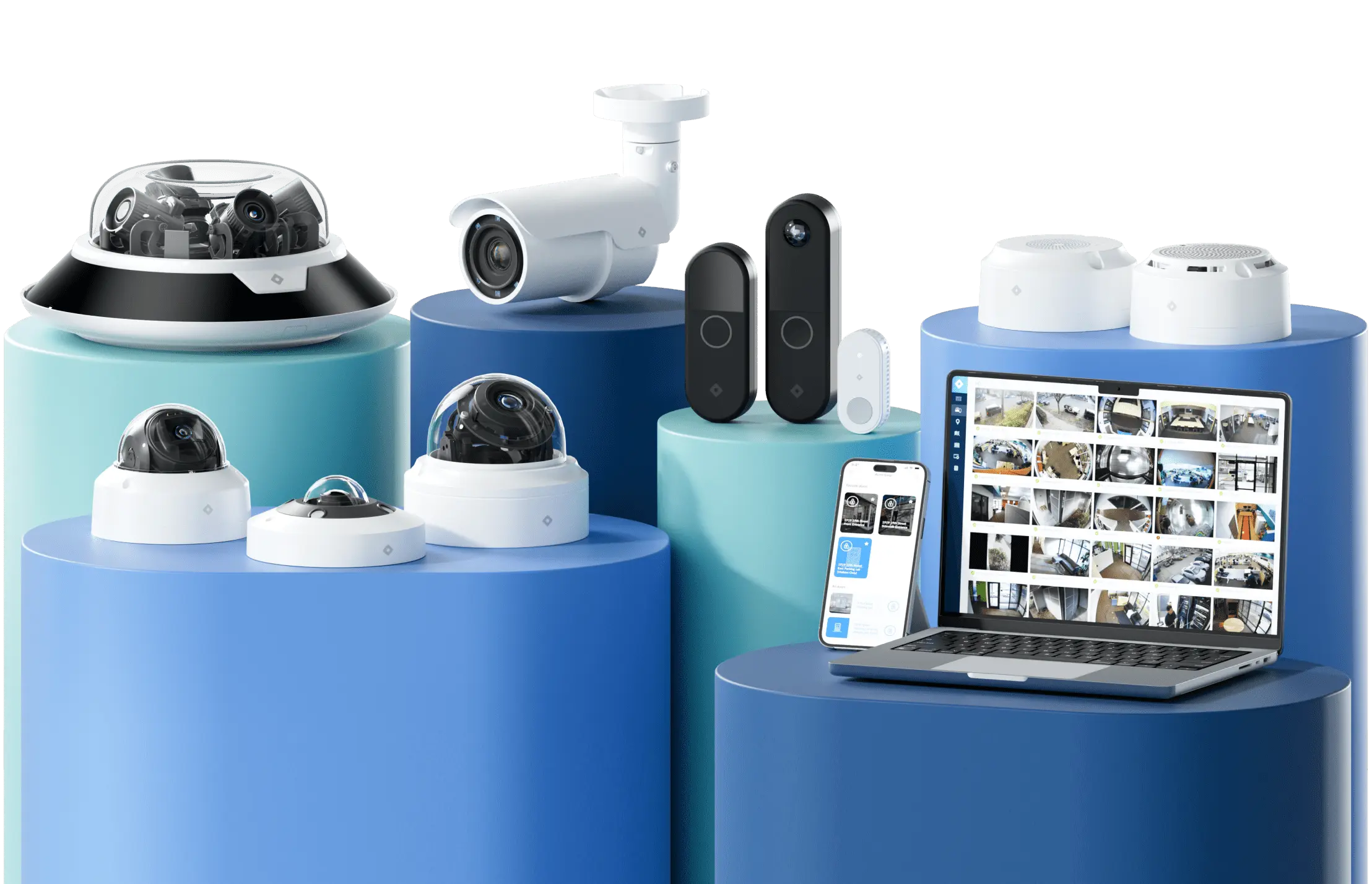
Rhombus brings cameras, access control, environmental sensors, and visitor management together in a single cloud-managed platform, eliminating integration gaps between separate security products. Every door event, camera feed, sensor alert, and visitor check-in lives in one system with one set of audit logs.
Rhombus completed its SOC 2 Type II attestation in February 2026, representing a 12-month independent audit of its security controls. Devices ship without default passwords and receive automatic firmware updates. Tamper detection alerts your team if someone physically interferes with a reader or controller.
Granular role-based access controls map permissions to job functions and zone tiers. Cloud-edge architecture keeps doors functioning during internet outages, and 50+ integrations connect Rhombus to existing HR, identity, and IT systems. Rhombus hosts its infrastructure on AWS, providing SOC 2 Type II audited, certified cloud infrastructure with NDAA and TAA compliant hardware.
Daniel Ruiz, IT Manager at Praesum Healthcare, put it simply: “What I love most about the system is how reliable it’s been. We just set it up and forget it. It’s that good.”
Request a Demo
If you are evaluating access control systems for a hospital, clinic, or medical office, see how Rhombus works in a healthcare environment by requesting a demo. The walkthrough covers access control, camera integration, visitor management with Rhombus Guest, and compliance features relevant to the 2026 HIPAA Security Rule updates.
%20--%3e%3csvg%20version='1.1'%20id='Layer_1'%20xmlns='http://www.w3.org/2000/svg'%20xmlns:xlink='http://www.w3.org/1999/xlink'%20x='0px'%20y='0px'%20viewBox='0%200%20110%20110'%20style='enable-background:new%200%200%20110%20110;'%20xml:space='preserve'%3e%3cstyle%20type='text/css'%3e%20.st0{fill:url(%23SVGID_1_);}%20%3c/style%3e%3cg%3e%3clinearGradient%20id='SVGID_1_'%20gradientUnits='userSpaceOnUse'%20x1='25.325'%20y1='766.725'%20x2='84.725'%20y2='707.325'%20gradientTransform='matrix(1%200%200%201%200%20-682)'%3e%3cstop%20offset='0'%20style='stop-color:%23006F94'/%3e%3cstop%20offset='1'%20style='stop-color:%2300C1DE'/%3e%3c/linearGradient%3e%3cpath%20class='st0'%20d='M106.9,47.5L62.5,3.1c-4.1-4.1-10.9-4.1-15,0L3.1,47.5c-4.1,4.1-4.1,10.9,0,15l44.4,44.4%20c4.2,4.2,10.9,4.2,15.1,0L107,62.5C111,58.4,111,51.6,106.9,47.5z%20M55.5,71.2c-9.4,0.3-17-7.3-16.7-16.7C39.1,46,46,39.1,54.5,38.8%20c9.3-0.3,17,7.3,16.7,16.7C70.9,64,64,70.9,55.5,71.2z'/%3e%3c/g%3e%3c/svg%3e)
Related Articles