Back to blog home

(Almost) Everything Rhombus Has Shipped in 2026 (So Far)
by Matt Antos-Lewis, on April 1st, 2026
Product UpdatesAt Rhombus, we build for the people who keep places safe. And this year, more than ever we’ve been heads down doing exactly that; listening to customers, tackling long-requested features, and shipping improvements that make physical security smarter, simpler, and more powerful across the board.
Whether you’re a long-time Rhombus customer or just getting to know us, this is your one-stop look at (almost) everything we’ve released in 2026. From new hardware to under-the-hood improvements that make a real difference day-to-day, there’s a lot to cover… so let’s get into it.
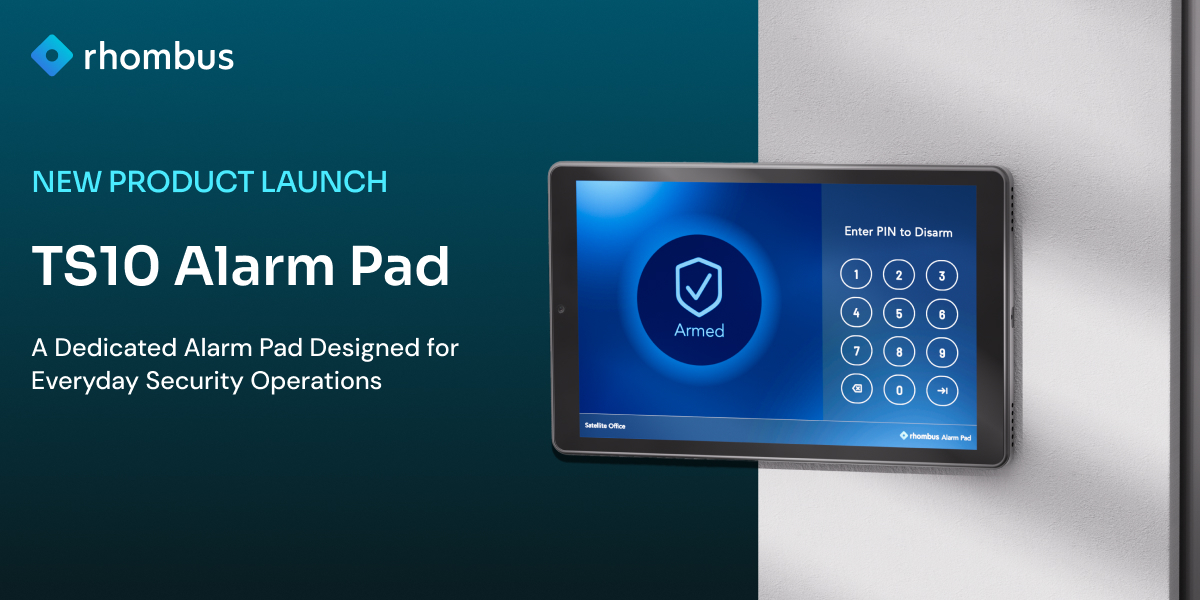
TS10 Alarm Pad: Rhombus-Built, Ready to Go
One of our most requested products is officially here. The TS10 Alarm Pad is Rhombus’s first purpose-built, in-house alarm interface, and it’s designed to do one thing well: make arming and disarming your security system simple, reliable, and secure.
No lengthy setup. No repurposed hardware. Just a dedicated alarm pad that works exactly the way you’d expect it to.
What makes the TS10 different?
The TS10 runs on Power over Ethernet (PoE), meaning a single cable handles both power and connectivity. That keeps installation clean and eliminates the headaches that come with battery-powered or multi-cable setups.
From there, it’s straightforward by design. Staff arm and disarm using a PIN, with clear LED indicators and audio announcements confirming the system’s status at every step; armed, disarmed, or in an alert state. There’s even a door-open warning built in, so you’re never left guessing whether a door was left ajar before leaving for the night.
Why not just use the iPad app?
Great question; and we’re still supporting the iPad app (more on that below). But there’s a real case for dedicated hardware: easier setup, easier support, and a significantly lower theft risk compared to a mounted consumer tablet. It’s also something customers have been asking us for directly, for a long time. The TS10 is our answer.
New Alarm iPad App: A Fresh Take on the App Store Classic
Alongside the TS10, we’ve launched a brand new Alarm Pad app — available now on the Apple App Store. Search for “Alarm Pad” (not “Rhombus Alarm Pad”) to find it.
The app covers all the same core functionality as the TS10 — PIN-based arm/disarm, LED-style status indicators, audio announcements — but adds a few extras that make the most of the iPad’s screen: live camera viewing, location map access, and support for both landscape and portrait orientations. It’s free to download.
Which should you or your customers use — the app or the TS10?
It depends on the setup. The iPad app is a great fit for customers who already have iPads they’d like to repurpose, have installation constraints that rule out wall-mounting, or want that extra camera and map visibility. The TS10 is the better call when simplicity, dedicated hardware, and PoE reliability are the priority.
A note on the legacy app: We’re discontinuing support for the original Rhombus Alarm Pad app. There’s no firm sunset date yet, but customers should plan to migrate to the new app when they’re ready.
Location & Device Map: Easier to Navigate, Faster to Act
We’ve given the Location and Device Map a meaningful upgrade — making it easier to move around the console, find what you need, and respond quickly when it matters.
Three updates worth calling out:
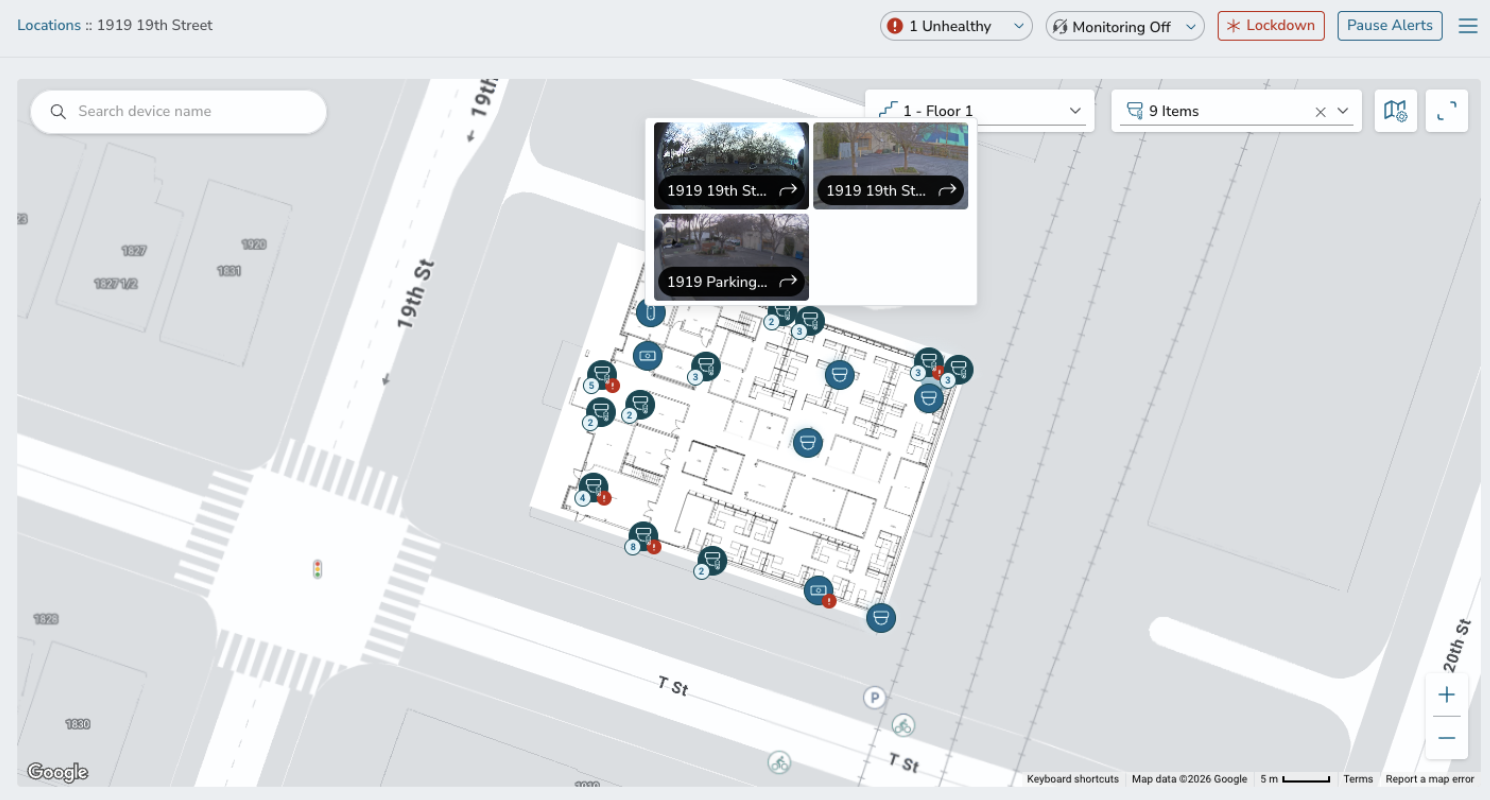
A new global Location filter means you can switch between locations without losing your filter settings across Devices, Alerts, and beyond. Small change, big quality-of-life improvement.
The new Locations page lets you search, filter, and scroll through your locations while keeping the map in view the whole time — plus you can now favourite locations to pin them to the top for fast access.
And the new Location detail map gives you quick access to cameras directly from the map view. This one was inspired by HQ security teams who need to jump to specific cameras — like mobile trailer units — fast during an incident. If that sounds like your team, you’ll feel the difference immediately.
You’ll also notice that the old Investigation > Device Map has been replaced by this new experience, with all links and settings now living in the location menu. Device placement and floor plan management are handled directly from the location map too, keeping everything in one place.
Integrations & API Management: Cleaner, Smarter, All in One Place
We’ve refreshed the Integrations and API Management pages in Console to make them easier to navigate and nicer to work with.
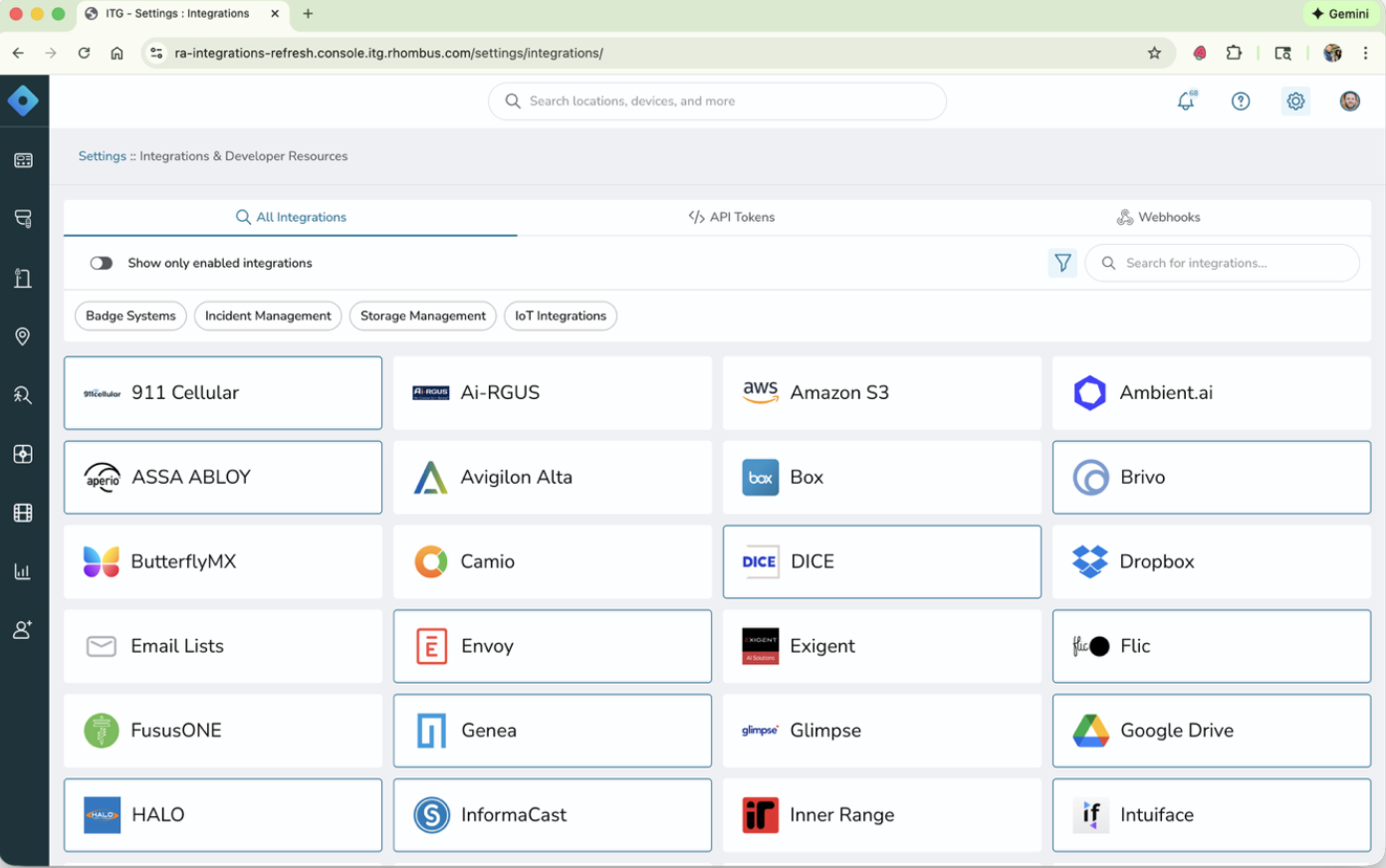
The integrations grid has been streamlined with a cleaner layout, clearer visual indicators showing which integrations are active, and improved search and filtering so you can find what you need without digging around.
On the developer side, third-party integrations and API token management are now consolidated into a single central location. Webhooks have their own dedicated tab, and API token logs are viewable directly in Console — no more hunting elsewhere to monitor usage.
Whether you’re a customer managing your integration stack or a developer building on the Rhombus API, everything you need is now in one place.
Camera Settings: See More While You Adjust
A small but satisfying update to Camera Settings in Console. Two friction points, fixed.
First, the settings panel no longer blocks your camera view. Instead of overlaying the video stream, settings now open in a dedicated side panel — so you can see the full field of view while you’re making adjustments. Much easier to dial things in when you can actually see what you’re changing.
Second, switching between Camera and Image settings no longer requires backing out and re-entering the menu. Just toggle between the two within the same side panel. Fewer clicks, smoother workflow.
Device Status & Management: Less Noise, More Control
We’ve added a handful of device management features that give you more flexibility over how devices are tracked and how alerts are triggered.
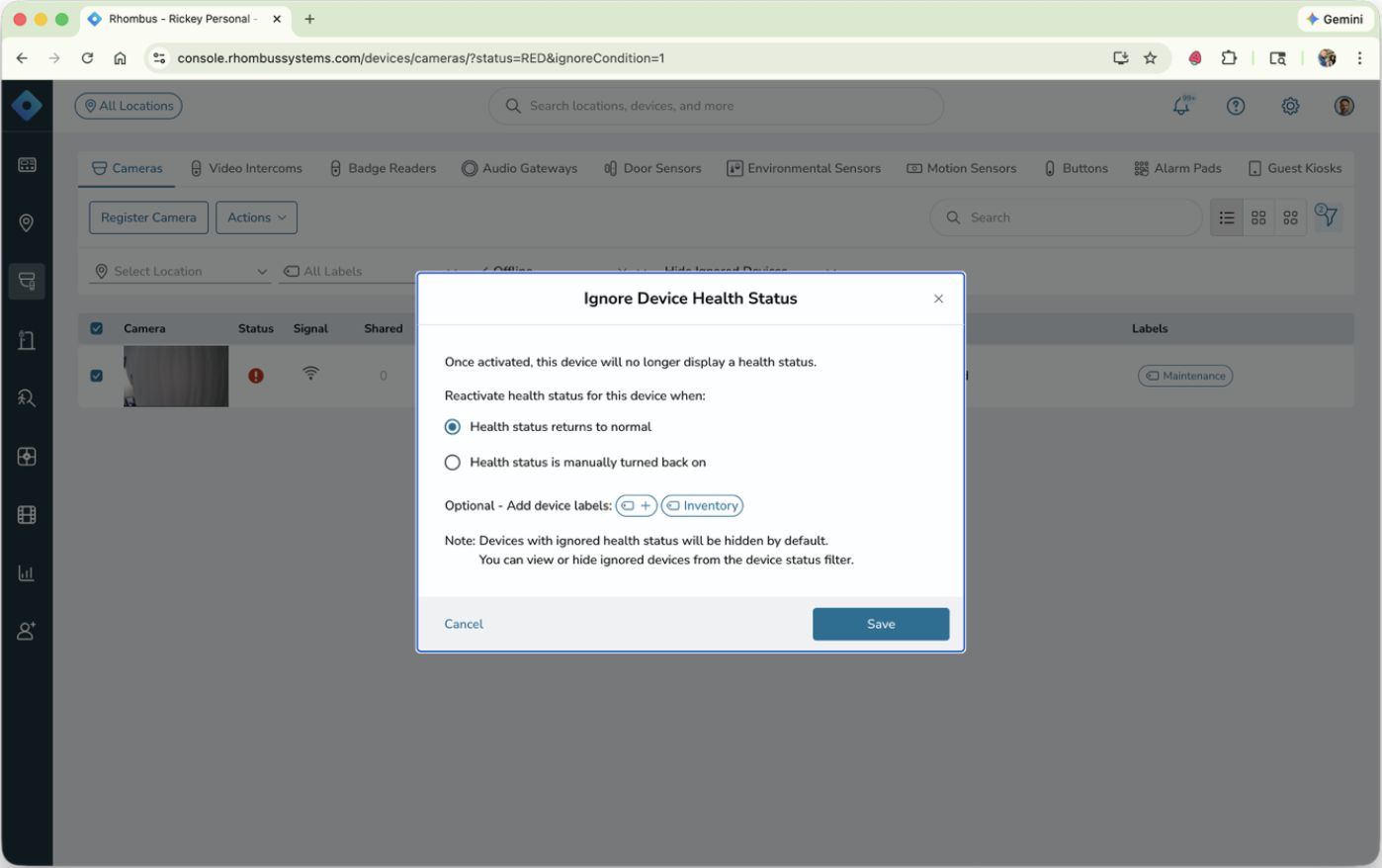
You can now ignore a device’s health status without removing it from Console — handy for devices that are under maintenance or sitting in inventory ahead of deployment. Ignored devices won’t show up red across the UI or trigger disconnect alerts, keeping your dashboard clean without losing visibility.
To go alongside this, Device Labels let you tag ignored devices with context — “Maintenance,” “Inventory,” and so on. Labels also work as a filtering tool, so you can quickly find and manage devices by category. Expect labels to support more workflows over time.
Finally, you can now configure how long a device must be offline before a disconnect alert fires. Short outages happen — networks blip, devices briefly drop and reconnect — and not every one of them warrants a notification. Tuning this threshold means your alerts stay meaningful and alert fatigue stays in check.
Estimated Unique Visitors: A Smarter Way to Count Footfall
Available as a dashboard report, Estimated Unique Visitors gives you a more accurate picture of how many people are actually moving through your space.
The figure is calculated by combining unique matched faces with a count of unmatched faces — giving you a meaningful estimate rather than a raw movement total. When face recognition rates are high, it’s a strong approximation of true visitor counts. Even when they’re lower, it’s still far less noisy than what motion-based detection alone could offer.
As part of this update, we’ve sunset the previous Estimated Total Visitors report, which this new approach comfortably outperforms on accuracy.
Manage Roles: Easier to View, Easier to Audit
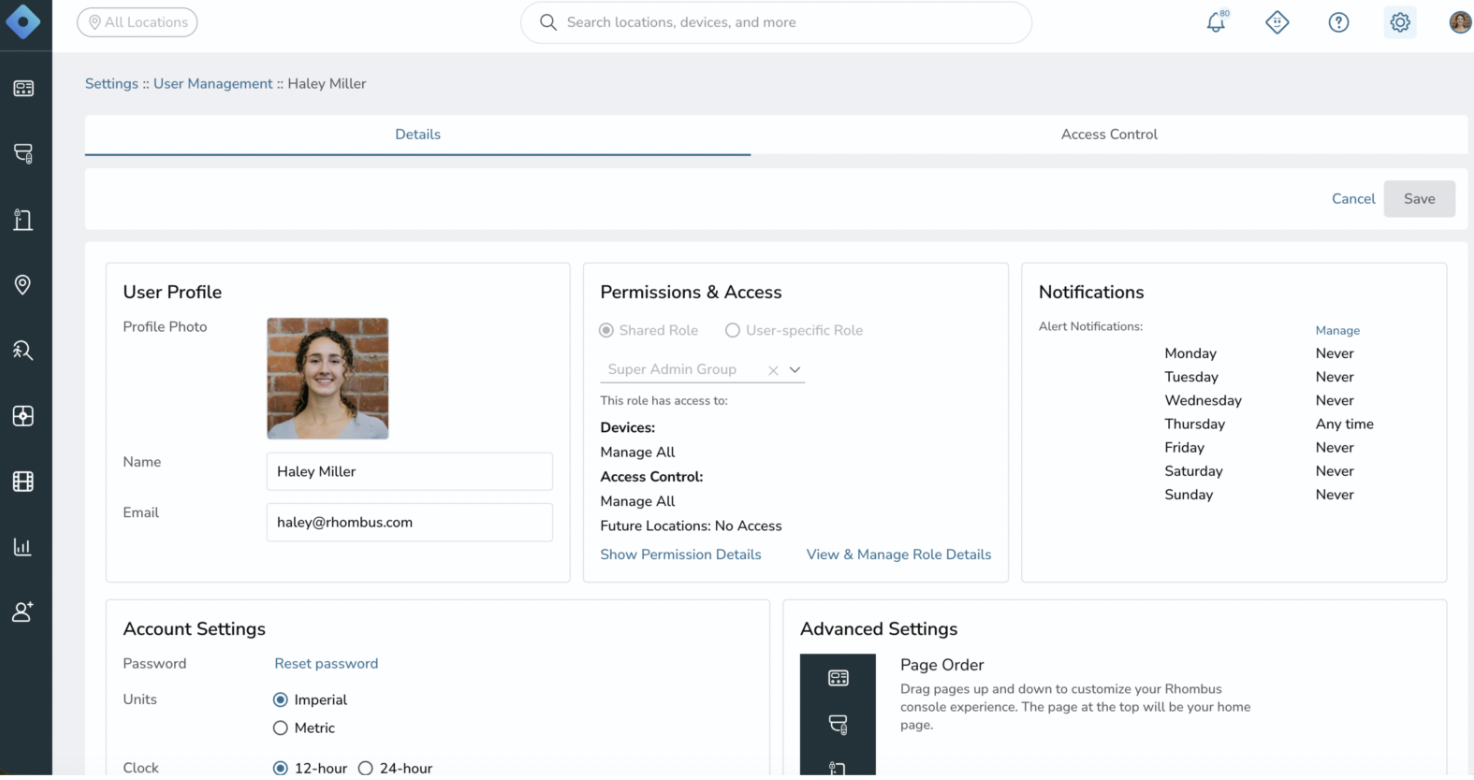
The Manage Roles pages have been refreshed to make it less painful to stay on top of who has access to what.
The new condensed list view fits significantly more roles on a single page, with summarised columns for assignments and permissions that are easy to scan — hover for more detail when you need it. New filters let you slice by location, device, or specific permission, making access audits much more straightforward. And a new role detail page brings all settings for a given role into one place, with a clear edit option right there.
If you manage a large number of roles, you’ll notice the difference immediately.
In-Product Free Trials & Custom Events: Try Before You Buy
Custom Events just got a lot more accessible. We’ve rolled out in-product free trials, giving organisations $50 in free credits (roughly 30,000 credits) to explore Custom Events directly in Console — no sales process required to get started.
An interactive coaching modal walks users through the feature, and for the first time, users can now add and manage their own custom events independently. Our SE and SA teams are still on hand for support, but you no longer need to go through them to get started.
If you’ve ever wished you could get an alert for something specific that off-the-shelf detection doesn’t cover, Custom Events is worth exploring. Think about how much time your team spends manually reviewing footage — this is built to win that time back.
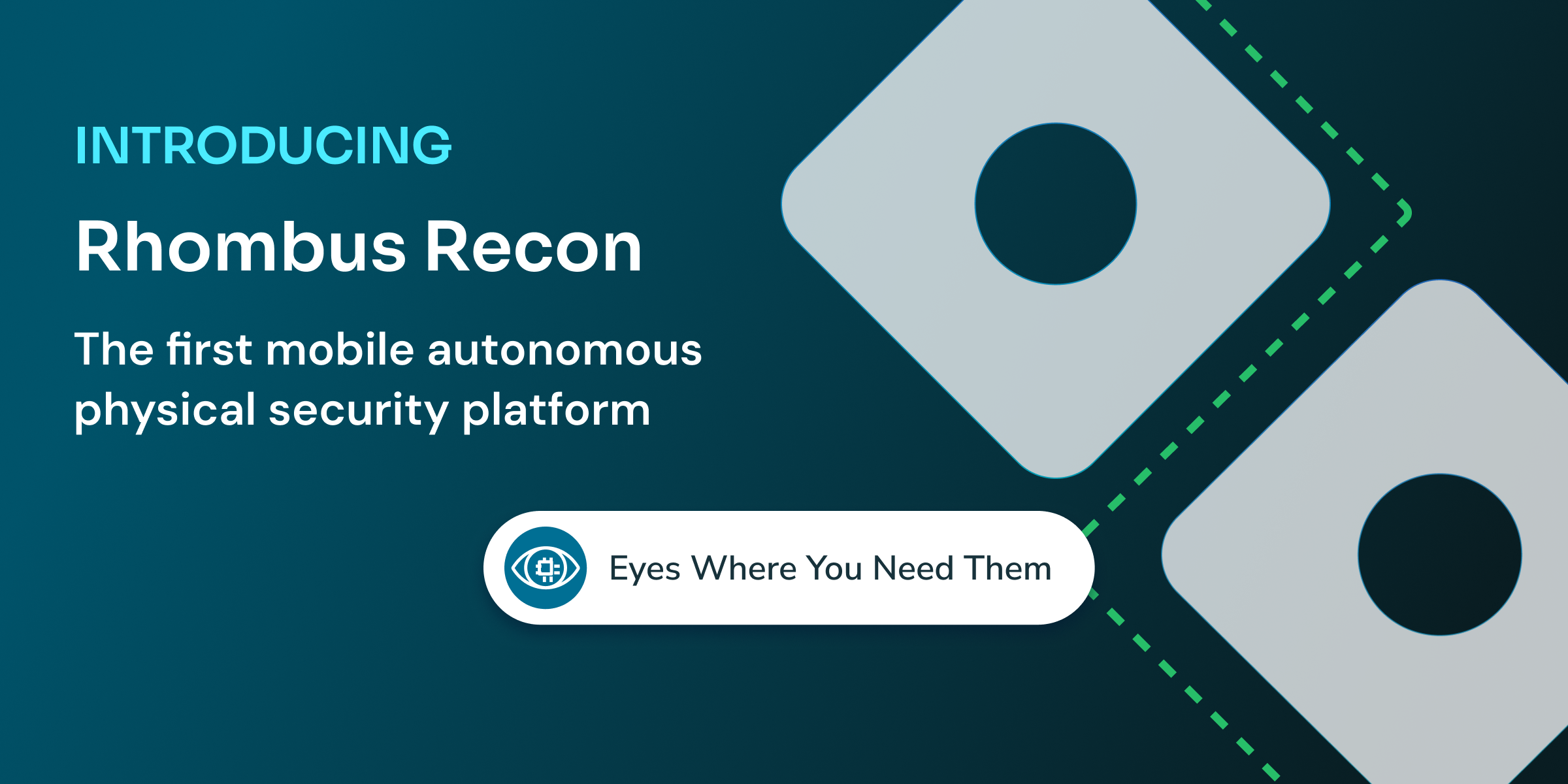
Rhombus Recon: Security That Moves
We’ve saved the biggest announcement for last. Rhombus Recon is our upcoming robotics platform — and it marks the beginning of an entirely new chapter for Rhombus.
Here’s the honest framing: we’re in R&D. We’re not selling anything yet, and it’ll likely be another year or so before we do. But we’ve made enough progress that were able to demo at March’s ISC West; so this is very real, and it’s moving fast.
The idea behind Recon is a natural extension of what Rhombus already does. Cameras and sensors are powerful, but they’re fixed. There will always be blind spots — areas outside the view of any installed device where something could be happening. An autonomous robot changes that equation entirely.
Importantly, Rhombus isn’t building robots. Recon is a software platform that will work with hardware from multiple robot manufacturers; think the likes of Boston Dynamics and Unitree. We’re developing the software layer that brings robots into the Rhombus ecosystem, alongside existing cameras, sensors, and our AI stack.
The result will be the first solution to combine fixed and mobile sensors in a single platform — what we’re calling the first mobile autonomous physical security solution.
Want to dive deeper? Read the full Recon preview on our blog: Rhombus Recon: Security That Moves →
And that’s a wrap… for now.
Only three months in and 2026 has already been one of our most productive years yet, and we’re not slowing down. Every feature above came from real conversations with customers, real problems worth solving, and a genuine belief that security software should work for you, not against you.
If you’re already a Rhombus customer, we’d love to hear what you think of these updates — reach out to your account manager or drop us a note. And if you’re new here, there’s no better time to see what Rhombus can do for your organisation. Book a demo →
In Birmingham, UK for The Security Event? We’ll be there with a bigger presence than ever at stand 5/K70 . Stop by to say hi!
Stay tuned — there’s more to come before the year is out.
%20--%3e%3csvg%20version='1.1'%20id='Layer_1'%20xmlns='http://www.w3.org/2000/svg'%20xmlns:xlink='http://www.w3.org/1999/xlink'%20x='0px'%20y='0px'%20viewBox='0%200%20110%20110'%20style='enable-background:new%200%200%20110%20110;'%20xml:space='preserve'%3e%3cstyle%20type='text/css'%3e%20.st0{fill:url(%23SVGID_1_);}%20%3c/style%3e%3cg%3e%3clinearGradient%20id='SVGID_1_'%20gradientUnits='userSpaceOnUse'%20x1='25.325'%20y1='766.725'%20x2='84.725'%20y2='707.325'%20gradientTransform='matrix(1%200%200%201%200%20-682)'%3e%3cstop%20offset='0'%20style='stop-color:%23006F94'/%3e%3cstop%20offset='1'%20style='stop-color:%2300C1DE'/%3e%3c/linearGradient%3e%3cpath%20class='st0'%20d='M106.9,47.5L62.5,3.1c-4.1-4.1-10.9-4.1-15,0L3.1,47.5c-4.1,4.1-4.1,10.9,0,15l44.4,44.4%20c4.2,4.2,10.9,4.2,15.1,0L107,62.5C111,58.4,111,51.6,106.9,47.5z%20M55.5,71.2c-9.4,0.3-17-7.3-16.7-16.7C39.1,46,46,39.1,54.5,38.8%20c9.3-0.3,17,7.3,16.7,16.7C70.9,64,64,70.9,55.5,71.2z'/%3e%3c/g%3e%3c/svg%3e)
Matt Antos-Lewis
International Marketing Lead

Matt Antos-Lewis leads Rhombus’ international marketing program. Based in London, Matt has over 15 years of experience within the SaaS space for both US and UK based brands and has led international expansion efforts for several tech unicorns.
Related Articles